AI Video Tools: Why You Don't Need Five Stitched Together
A feature is renamed after your product Short is approved, and five tools need reopening. See how edits shrink when AI video tools live in one place.

You've scheduled a 30-second product update Short for 9 AM Friday. It's been reviewed and approved. Then on Thursday evening you hear the feature has been renamed. The on-screen text at around 12 seconds, the name the narration reads, the captions under it, the file in the scheduled post and the first line of the post copy: that's five places to fix.
If your AI video tools are split across script, voice, footage, editing and publishing, those five places live in five different tools. A change of a few letters starts with hunting for the folder that has the new voice file.
One renamed feature means reopening five tools
Script in Claude or ChatGPT, voice from a TTS service, clips from a stock site, assembly in an editor or render tool. Picking a favorite tool for each step is natural, and if someone already owns each piece, it can even be faster. The trouble is that every edit walks the same path from the start.
Here's Thursday evening's rename handled both ways.
| Task | With five tools | In one project |
|---|---|---|
| Fix the name | Edit the script doc and save a new version | Change only that scene's on-screen text and narration line |
| Voice | Regenerate in the TTS tool and download | Regenerate that scene's narration only |
| Captions | Re-sync to the new audio length | Check the captions for the changed part on the same timeline |
| Visuals | Swap the text at 12 seconds in the editor and adjust later scenes | Check that one scene's length |
| Post | Export a new MP4 and re-upload it to the scheduler | Re-render, then confirm it's in the scheduled post |
The real cost is edit time, not subscriptions
If the new TTS file runs just one second longer, every caption and visual after it needs another look. Have an agent stitch the services together and the model also has to read each API's docs and pass result files along, one more hop at a time.
It isn't only renames. Most common edits cut across several tools.
| What changed | Where else to fix it | What to check last |
|---|---|---|
| Feature name | On-screen text, narration, captions, post copy | Whether voice and screen use the same name |
| Screen recording | Footage, highlights, scene length | Whether the moment the button appears matches the explanation |
| Video length | Scene transitions, music, exported file | Whether the review cut and the scheduled post use the same file |
When you compare monthly subscriptions, fill in this table too. Write down how long one round of edits took your team and how many times files got moved again, and the cheaper option shows up in numbers.
Start an update video from one user action
If you're working from a press release or release notes, pick the one thing users can now actually do. If the message is "you can now see review comments from every screen in one place," split the 30 seconds like this.
- 1TitleThe one changed feature, in a single line
- 2BeforeThe old path of hopping between screens to find review comments, kept short
- 3AfterThe moment the comments come together on the new screen
- 4Closing lineOne line on where to try it right now
Use a real recording of your product for the "after" scene. You won't spend time describing your UI to a video generation model, and the screen can't drift from the real thing.
In Draft, you start the project from the web editor or through an MCP connection. That one project holds scenes, narration, captions and music, each on its own track.
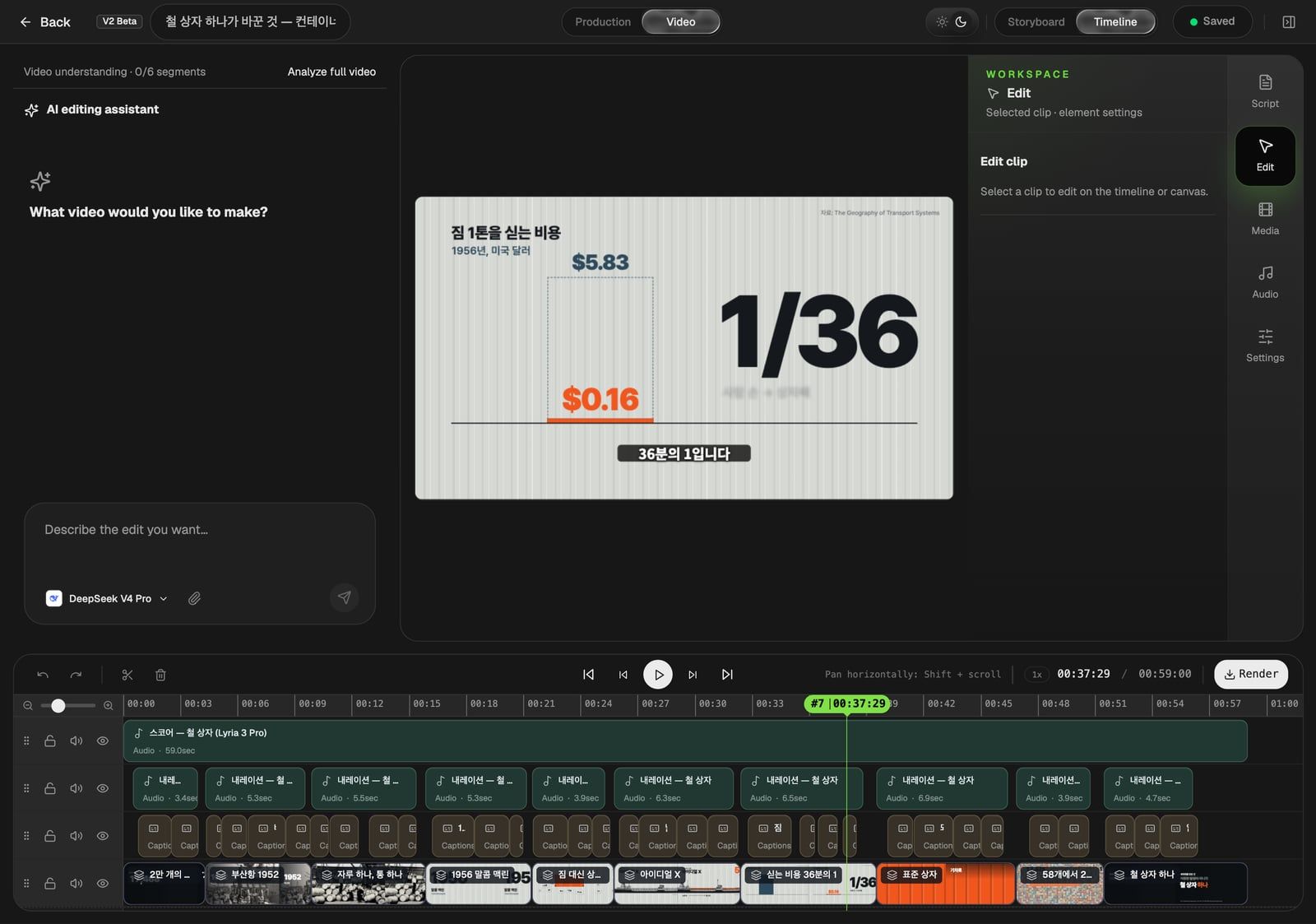
In Draft you fix only the affected scene
When a reviewer flags the feature name, open the project and change that scene's text and narration. The other scenes stay as they are.
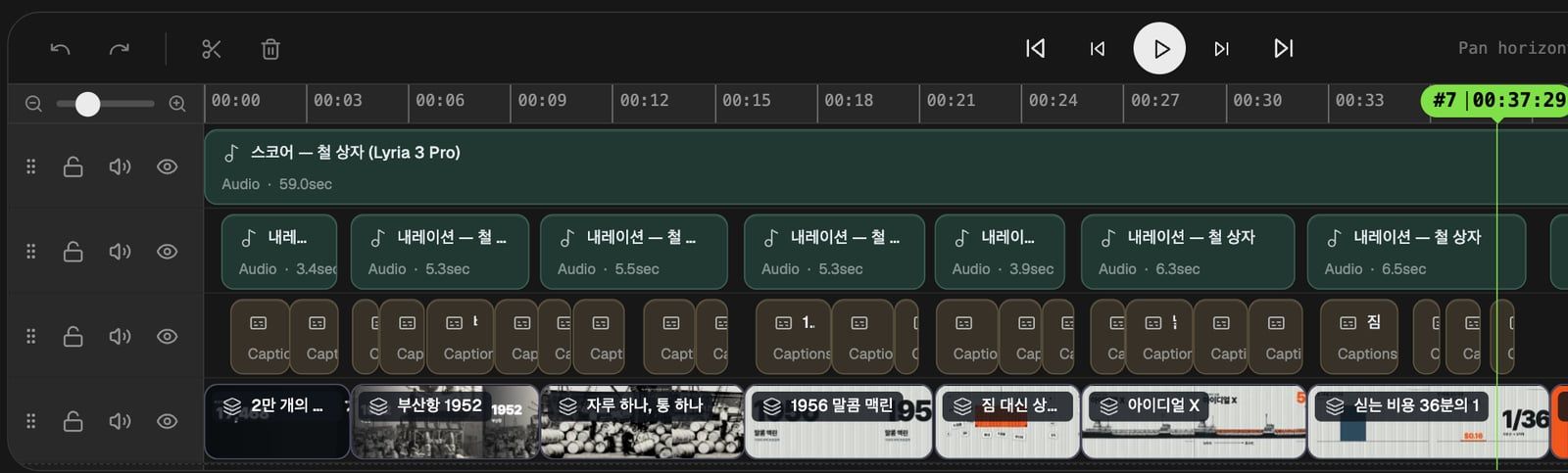
Change the scene's text, regenerate that scene's narration, read the captions for the changed part, then re-render. Scenes whose numbers or order change often can be kept as Draft blocks to make edits even smaller, and placing blocks or changing their style is free. Where the product screen changed, swap in a new recording.
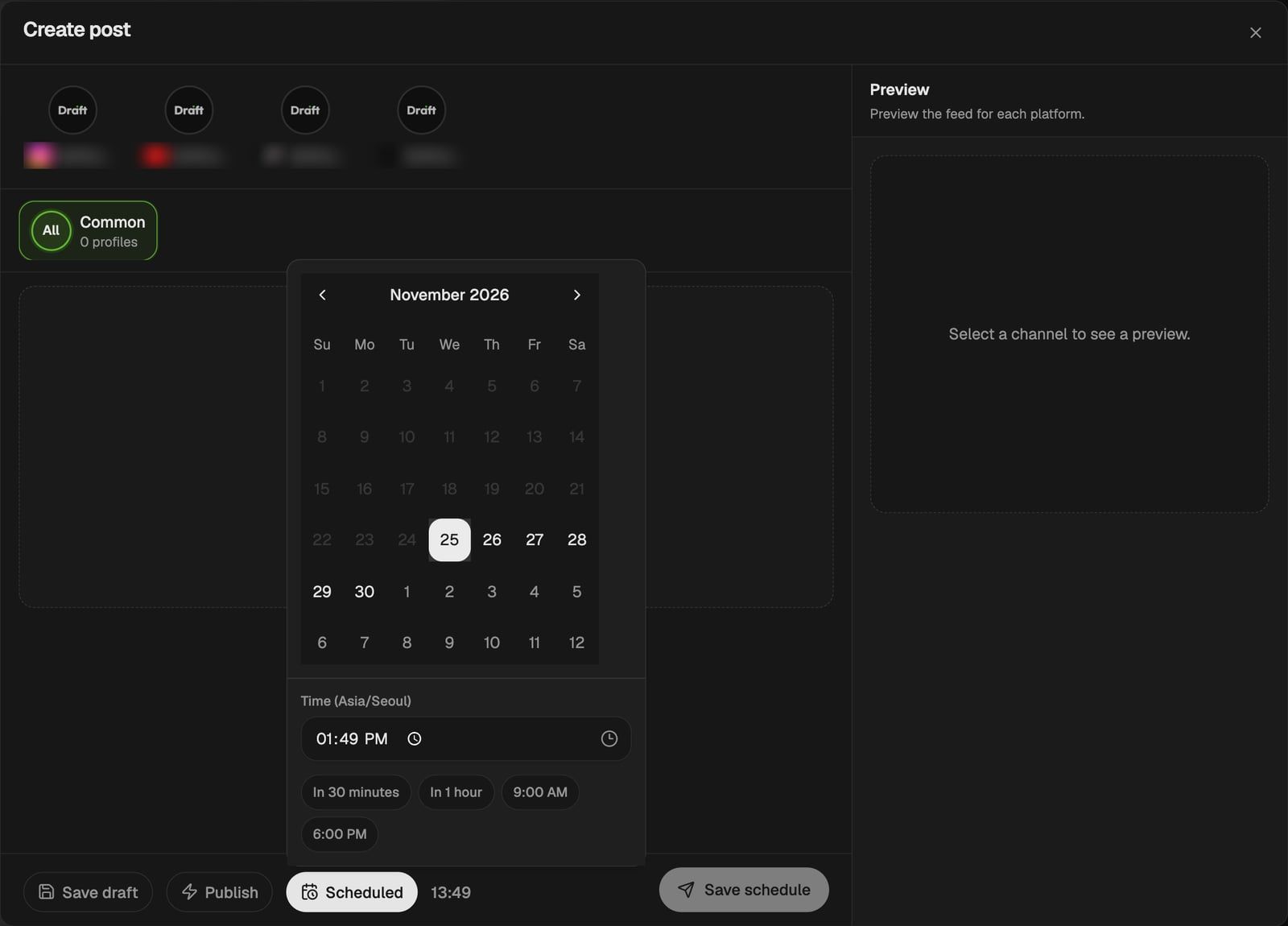
The step people forget is the schedule. Even after you've checked the new MP4, the scheduled post may still hold the old file. Before the post time comes, open the schedule and make sure the fixed file is the one in it.
For a weekly video, reuse the structure
If next week's video also runs title, before and after, closing line, carry the same structure over. What changes week to week is the feature name, the recording and a few numbers, so you only fill those in.
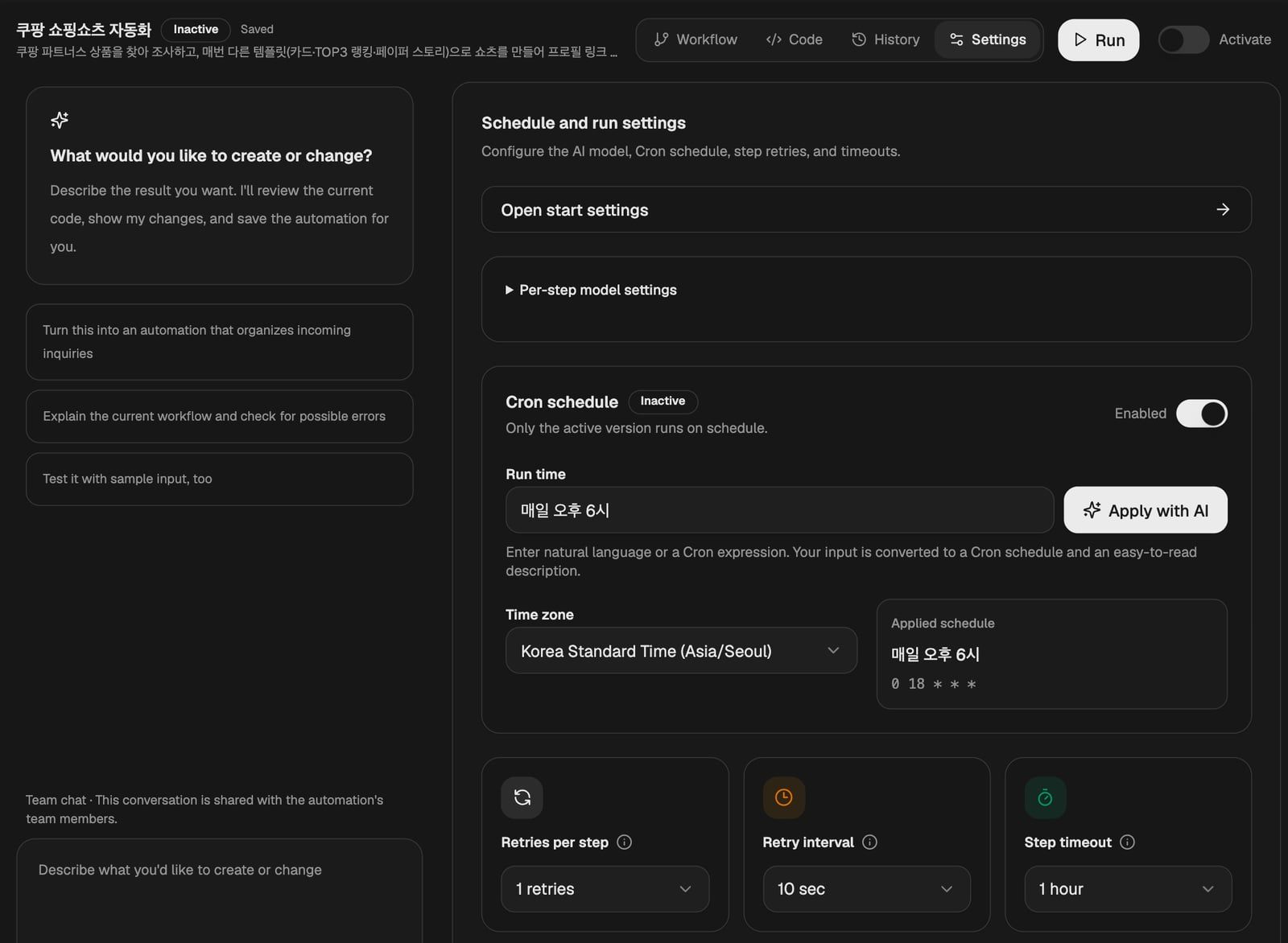
Once the routine settles, Shorts automation can run topic selection, video production and scheduled posting at a set time. Don't wire it all the way to publishing on day one. Repeat topic selection and the first draft for a while, and keep the step where a person checks the product name and real screens easy to spot.
Should you replace the tools you use now?
Not necessarily. It depends on how often the video ships and who edits it.
One place works better when
- The same format ships every week or every day
- Two or more people review it
- Names, numbers or screens change after approval
- You want scheduling in the same flow
Separate tools are fine when
- It's a one-off campaign video
- One person makes it start to finish
- Edits are rare
- Another team handles publishing
If a tool is already at the center of your workflow, keeping it is often the right call.
| If your team… | Tool to keep at the center |
|---|---|
| Keeps brand motion in React components it maintains | Remotion |
| Builds browser scenes in HTML and runs its own render setup | HyperFrames |
| Mostly makes training videos with a presenter | HeyGen or Synthesia for the talking scenes, finished in the editor you know |
If you can't decide, time your next video from the moment an edit request comes in until the schedule is fixed. Note which files you reopened and who checked them, and you'll see whether you need one integrated editor or just a better handoff between the tools you have. The differences between tools are collected in AI video tools compared.
FAQ
How many AI video tools do you need?
There's no fixed number. For a one-off video, a combination you know is quickest. If you ship the same format every week, handling everything from script to schedule in one project means fewer edits.
How do I bring over a script I wrote in Claude or ChatGPT?
Connect Draft as a connector and you can create and edit the project right in the conversation. The step of copying the script and pasting it into another tool goes away.
Does changing one narration line cost anything?
The changed line gets its voice regenerated, and exporting the fixed version means rendering again. Placing graphic blocks and changing styles is free, and you see estimated credits before any paid work.
Can I make videos with an avatar too?
Draft has no avatars or lip-sync. If you need a presenter on screen, an avatar tool like HeyGen or Synthesia is the better fit.
Make it with Draft
Turn the idea you just read into a video plan.
Start from a topic and get the script, scenes, narration, captions and a scheduled post in one flow.