YouTube Shorts vs Instagram Reels vs TikTok (2026)
Shorts, Reels and TikTok compared from official docs: max length, aspect ratio, how each recommends videos, monetization programs, watermarks and music.

Once a 30-second video is finished, two questions are left. Should it go on YouTube Shorts, Instagram Reels or TikTok? And can the same file go to all three?
The three apps look almost identical on screen. Their maximum length, the way they recommend videos and their music rules are not. Everything below comes from YouTube Help, Instagram Help and the Instagram creators site, TikTok's Community Guidelines and Newsroom, checked again in November 2026.
Shorts vs Reels vs TikTok at a glance
Length, aspect ratio, recommendations, monetization, reposting and music in one table. The official page behind each cell is linked further down.
| YouTube Shorts | Instagram Reels | TikTok | |
|---|---|---|---|
| Max length | 3 minutes | Up to 20 minutes in the app. Only Reels of 3 minutes or less are recommended to new audiences | 3 minutes for every account, 5 or 10 minutes for some |
| Aspect ratio | Square or vertical counts as a Short. 16:9 stays a regular video | 1.91:1 to 9:16 | Vertical 9:16 (per ad specs) |
| Recommendation signals (official) | Share of viewers who chose to watch, average view duration, average percentage viewed | Likelihood to share, watch to the end, like, open the audio page | Viewer interactions, video information (captions, sounds, hashtags), device and account settings |
| Official monetization | Shorts revenue sharing (YouTube Partner Program) | Gifts, subscriptions, bonuses (invite only) | Creator Rewards Program, subscriptions, LIVE Gifts |
| Video already posted elsewhere | Reuploads of other creators' content can't earn revenue sharing. Your own video can be made anywhere | Watermarked Reels and Reels already on Instagram are shown less | Reused clips with someone else's watermark or logo are kept out of For You |
| In-app music | Most Shorts Audio Library songs usable for up to 90 seconds | Library audio is copyrighted and may be muted if agreements change | Business accounts only see commercial sounds, which can't be posted off TikTok without separate permission |
Length splits at 1 minute and 3 minutes
The longest video that can still be recommended on all three is 3 minutes. Inside that, 1 minute is a second threshold.
3 min
Max length of a Short, and the cap for Reels recommended to new audiences
1 min
Minimum for TikTok Creator Rewards, and the line where claimed Shorts get blocked
YouTube's three-minute Shorts page says videos uploaded after October 15, 2024 with a square or vertical aspect ratio and up to three minutes long are categorized as Shorts. The same page adds a condition that matters: a Short over one minute with an active copyright claim of any type is blocked globally. It won't play, won't be recommended and can't be monetized. Shorts under one minute aren't affected by this change.
Instagram's Record a reel page allows recording and editing up to 20 minutes, but Reels over 3 minutes aren't recommended to new audiences. The creators FAQ says the same: videos recommended to people you're not connected with are 3 minutes or less. TikTok's developer documentation says all creators can post 3-minute videos and some have access to 5 or 10 minutes. For aspect ratio, TikTok's In-Feed ad specs use vertical 9:16.
For a video headed to all three, 60 to 90 seconds is the easy range. If it has to carry someone else's music, keeping it under a minute avoids the Shorts block.
Each platform watches for something different
All three look at how viewers react before they look at follower counts. The signals each company names are weighted a little differently.
YouTube Shorts: did people stop scrolling? The Shorts discovery page says YouTube checks whether viewers choose to watch a recommended Short, ignore it or tap "not interested," and uses the share of viewers who chose to view, average view duration and average percentage viewed to inform ranking. It doesn't favor any format, and Shorts performance doesn't hurt long-form recommendations.
Instagram Reels: would people share it? Adam Mosseri's Instagram Ranking Explained (2023) lists the most important Reels predictions as how likely you are to reshare, watch to the end, like, and go to the audio page. The same post says low-resolution or watermarked Reels, muted Reels, Reels with borders, mostly-text Reels and Reels already posted on Instagram are made less visible.
TikTok: follower count isn't a direct factor. The TikTok Newsroom (2020) says For You uses user interactions, video information and device and account settings, and that neither follower count nor past high-performing videos are direct factors. It also avoids showing two videos in a row with the same sound or from the same creator. The current write-up lives on the recommendation system page.
Put side by side, the common ground is retention. Making the first two seconds say what the video is about pays off on every platform.
Can you post the same video to all three?
Yes. What the platforms push back on is reposting someone else's work as is, and videos that still carry another app's marks.
YouTube's Shorts ads and revenue page lists "reuploading other creators' content from YouTube or other platforms" as non-original and ineligible for revenue sharing, and says it doesn't matter whether your videos are created on or off YouTube. In its April 2026 original creators update, Instagram said adding a border, watermark, subtitles or a credit in the caption doesn't make a repost original. TikTok's Community Guidelines make reused content posted without creative edits, such as clips showing someone else's watermark or logo, ineligible for the For You feed.
Post as is
- The original export of a video you shot and edited
- Vertical 9:16, 3 minutes or less
- Music you have rights to, mixed into the file
- Captions and text clear of the top and bottom edges
Adjust first
- A file downloaded from another app with its logo burned in
- Anything over 3 minutes (no Reels recommendations, not a Short)
- Audio licensed for one app only, like TikTok commercial sounds
- Subtitles at the very bottom, hidden by buttons and captions
- The same caption and hashtags pasted on all three
On Instagram itself, don't post the same Reel twice. The ranking post specifically names Reels already posted on Instagram as less visible.
Music: picked in the app or mixed into the video
Songs in an app's audio library are licensed for use inside that app. If one file is going to three places, mix the music into the video and use a track whose rights are clear.
- YouTube: per the three-minute Shorts page, most Shorts Audio Library songs can be used for up to 90 seconds in a 3-minute Short, some only 60 or 30. Royalty-free music from the YouTube Audio Library won't receive a Content ID claim.
- Instagram: the Reels audio page describes licensed audio as copyrighted music, film, TV and sound effects from the Instagram library, and says audio in your posts may be muted when agreements with rights holders change.
- TikTok: on a Business Account, Add Sound only shows the Commercial Music Library. Under the library terms, videos with commercial sounds may only be posted within TikTok; other platforms need separate permission from the rights holders.
Audio picked in the app
- Can get your video onto sound and audio pages
- Licensed for that app only
- Can be muted if agreements change
Music mixed into the file
- The same file can go to all three platforms
- You check the rights yourself (your own track, clearly licensed music)
- A claim on a Short over 1 minute gets it blocked
For shop promos and explainers, background music inside the video is the simpler route. Challenges and memes built on trending audio are easier made in each app.
Monetization programs: names and official links
Each platform runs official programs. Eligibility and payouts vary by country and account and change often, so check the numbers on the official pages.
| Platform | Program | Official page |
|---|---|---|
| YouTube | Shorts revenue sharing (YouTube Partner Program) | Shorts monetization policies |
| Gifts | Earn money with Gifts | |
| Subscriptions | Subscriptions | |
| Bonuses (invite only) | Bonuses | |
| TikTok | Creator Rewards Program (videos of 1 minute or more) | Program terms |
| TikTok | Subscriptions, LIVE Gifts | Creator Academy |
One detail worth knowing is how music affects Shorts revenue sharing. Per the Shorts monetization policies, revenue tied to Shorts without music goes entirely to the Creator Pool, while Shorts with music split it with music partners. The share a creator keeps from their allocation is the same either way.
One video, three platforms: the workflow
Make one 9:16 original, write captions per platform, and schedule it on all three channels.
- 1Pick a length60 to 90 seconds, never over 3 minutes. Leave other people's music out
- 2Make it 9:16The point in the first 2 seconds, captions around the middle of the frame
- 3Export the originalOne file with no app logo, used on all three
- 4Write captions separatelyA title for Shorts, a first line and hashtags for Reels, a short caption with search terms for TikTok
- 5Schedule all threePick the channels, then the date and time
- 6Compare after a weekCheck retention on each platform and rewrite the next video's opening line
In Draft, a topic, a link or your own photos and clips become a 9:16 video with a script, AI voice narration, word-timed captions and music. Every scene can be edited in the web editor, and the music sits inside the video file. Finished videos can be published right away or scheduled to 7 platforms, including YouTube, Instagram and TikTok.
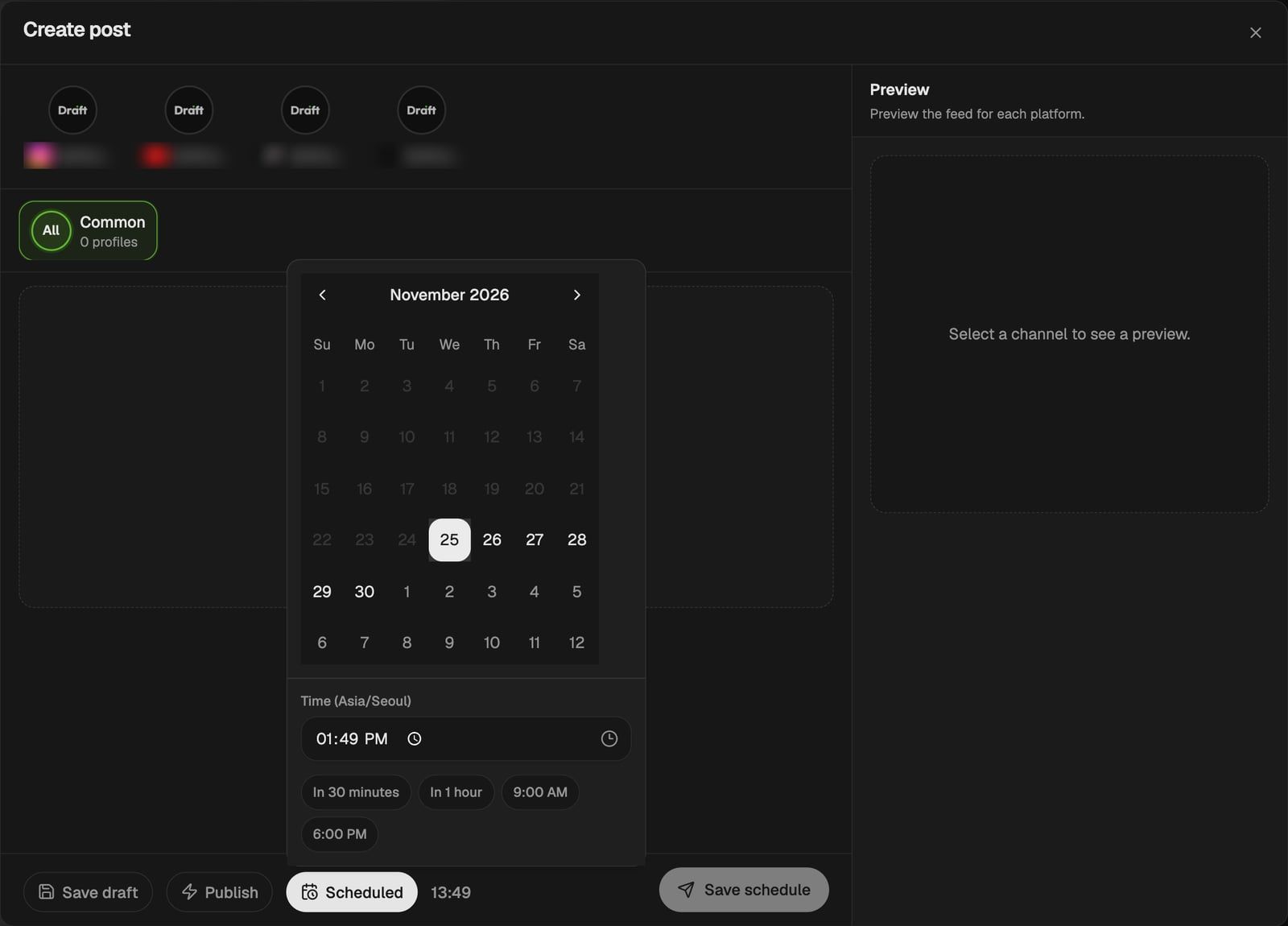
Schedule the first few instead of posting them right away. A last look on your phone before they go live catches subtitles hidden under the app buttons. If a format repeats every week, Shorts automation can run it from topic to scheduled post at a set time. If Reels are your main channel, Instagram Reels lays out a weekly rhythm.
If you can only start with one
Making the video is the work, so posting to all three costs little extra. If you do need to focus, this is a sensible way to choose.
- Already have a YouTube channel? Start with Shorts. YouTube says Shorts don't hurt long-form recommendations, so they work as a front door to your main channel.
- Customers find you on Instagram? Start with Reels. Starting where you already have followers makes early results easier to read.
- Starting from zero followers? Try TikTok. TikTok says follower count isn't a direct recommendation factor.
Frequently asked questions
How long can a YouTube Short be?
Up to 3 minutes. Videos uploaded after October 15, 2024 that are square or vertical and 3 minutes or shorter are categorized as Shorts. A 16:9 horizontal video stays a regular video even if it's under 3 minutes.
How long can an Instagram Reel be?
Instagram Help says you can record and edit Reels up to 20 minutes. Reels over 3 minutes aren't recommended to new audiences, so keep it under 3 minutes if you want to reach people who don't follow you yet.
Can I post a video with a TikTok watermark to Reels or Shorts?
Better not. Instagram says watermarked Reels are made less visible, and its creators FAQ notes that third-party watermarks can affect reach. Export the original file from your editor and upload that.
Will posting the same video on three platforms count as duplicate content?
The official pages target reposting other people's content. YouTube says it doesn't matter whether your own video was made on or off YouTube. On Instagram, though, posting the same Reel twice is named as something that's shown less.
Do videos without in-app music get less reach?
None of the three platforms' official pages say a video is penalized for skipping in-app music. YouTube only says that using popular sounds can increase the chance of appearing on sound pages. For shop promos and explainers, background music mixed into the video is enough.
Make it with Draft
Turn the idea you just read into a video plan.
Start from a topic and get the script, scenes, narration, captions and a scheduled post in one flow.