Save Tokens on AI Video: Turn Repeated Scenes into Blocks
What gets rebuilt when you fix one number card in an AI video? Real Draft block data, with scene code, narration, media and export costs split out.
You're making a teaser for next week's event and sign-ups just went from 180 to 240. The number on screen, the "one hundred eighty" in the narration and the captions all have to change. If every scene in the AI video was written as fresh code, the agent rereads the HTML structure and animation timing just to change one number. That's usually where the tokens go in AI video production.
Once per video, you won't notice. Make the same teaser every week, each with a title card, a number card and a schedule, and it adds up.
Hand-coded scenes and blocks split at the edit
The first draft looks fine either way. The difference shows up on the second and third round of changes.
Scene kept as a block
- You pass a number, a unit and a short label
- The count-up motion and card design carry over
- Mood changes with the paper, dark or motion style
- Fits titles, numbers, quotes, comparisons, timelines
Scene written as code each time
- The model handles the whole HTML, CSS and animation code
- Motion and timing get reread and rechecked
- Colors, fonts and motion get edited in code
- Needed when a specific interaction or brand motion must match exactly
If a scene keeps the same job and only the content changes, the block is almost always cheaper. You'll need the right column less often than you think.
Putting "240" on screen takes this much data
A Draft block is a scene with a fixed shape. The number block takes a value, a unit and a label that says what the number means, and draws it. Here's the full input for one scene.
{
  "type": "number",
  "from": "240 people have signed up so far",
  "data": {
    "numbers": [
      { "value": "240", "unit": "people", "label": "Early sign-ups" }
    ]
  }
}
data is what the viewer reads on screen. from is a run of consecutive words from the narration: the number card appears on that phrase and stays until the next on-screen block begins. The block list shows the rest of the inputs for a full video or an API request.
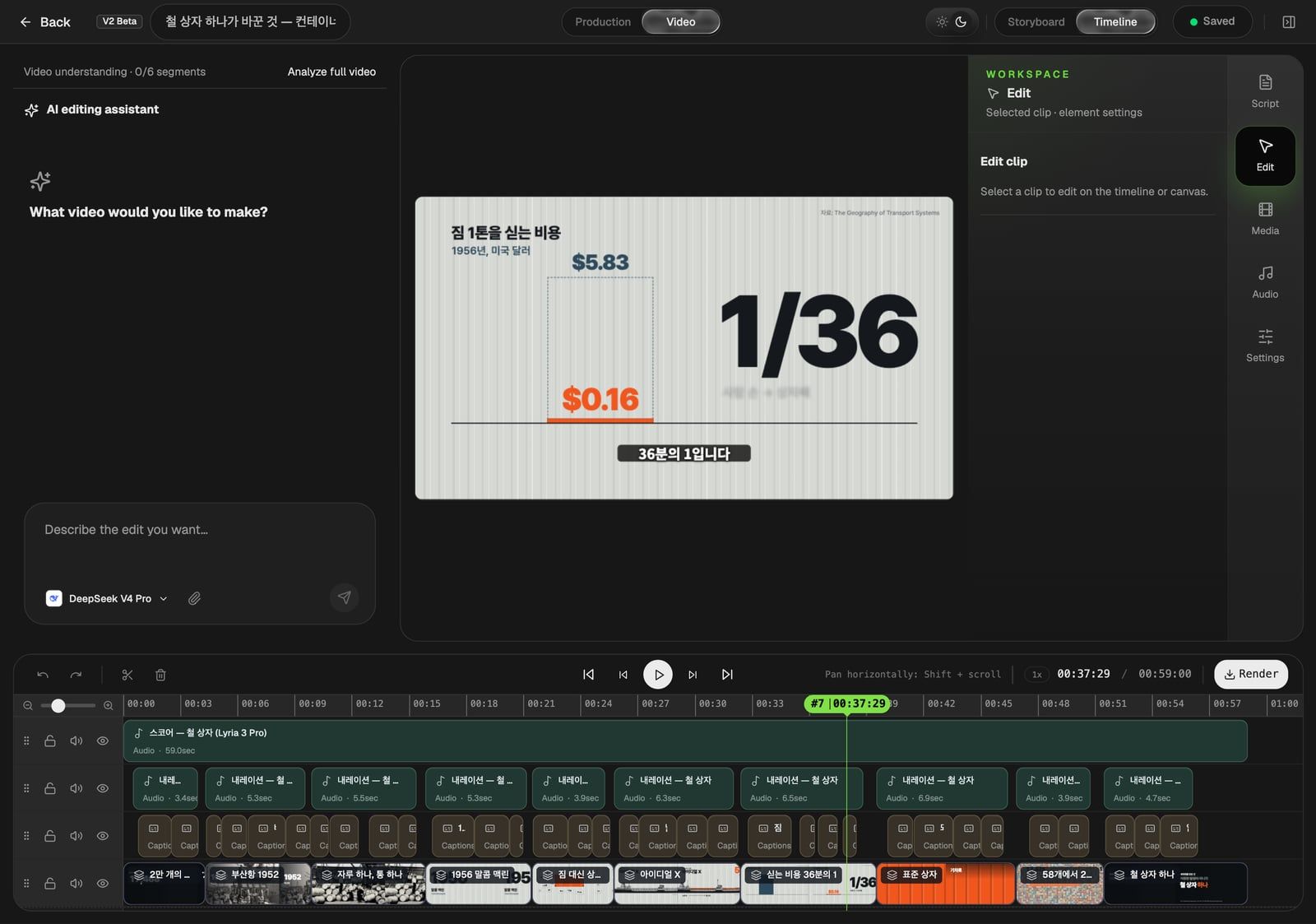
What gets rebuilt when one number changes
If the number only appears on screen, changing data is all it takes. If the narration reads it out too, fix the voice and captions, and update the starting phrase to match the new sentence.
| What you changed | Scene code | Narration and captions | Media | Export |
|---|---|---|---|---|
| On-screen number only (180 → 240) | Not rewritten, just the data value | Unchanged | Reused | Export again |
| A number the narration also reads | data and the from phrase | New voice, captions retimed | Reused | Export again and check timing into the next scene |
| Style (paper → dark) | Not rewritten, no credits | Unchanged | Reused | Export again |
| Swapping a scene's footage | Unchanged | Unchanged | Reusing an uploaded product screenshot costs differently from generating new video with a model | Export again |
Exporting in the browser from the editor uses no credits. A server render shows its own estimate first.
180 → 240
Example: the only thing that changed
0 credits
Placing blocks and switching styles
3
Styles: paper, dark, motion
The second row is the one people miss. A longer number takes longer to say, and the next scene gets pushed. Don't stop at the screen: play that stretch of the exported file once.
Tokens drop by however much the model no longer writes
Tokens measure how much text a model like Claude or ChatGPT reads and writes. Swap writing fresh HTML, CSS and animation code for editing a few fields of scene data, and less text goes back and forth.
Real usage depends on the model, the number of tool calls and the work history. If you want to compare, measure the first draft plus one round of edits from the same script. Measure only the first answer and you miss the edit step, which is where the difference is.
Switching styles doesn't redraw the scene
Put the paper, dark or motion style on the same block and only the look changes; the data stays put. Style changes cost no credits.
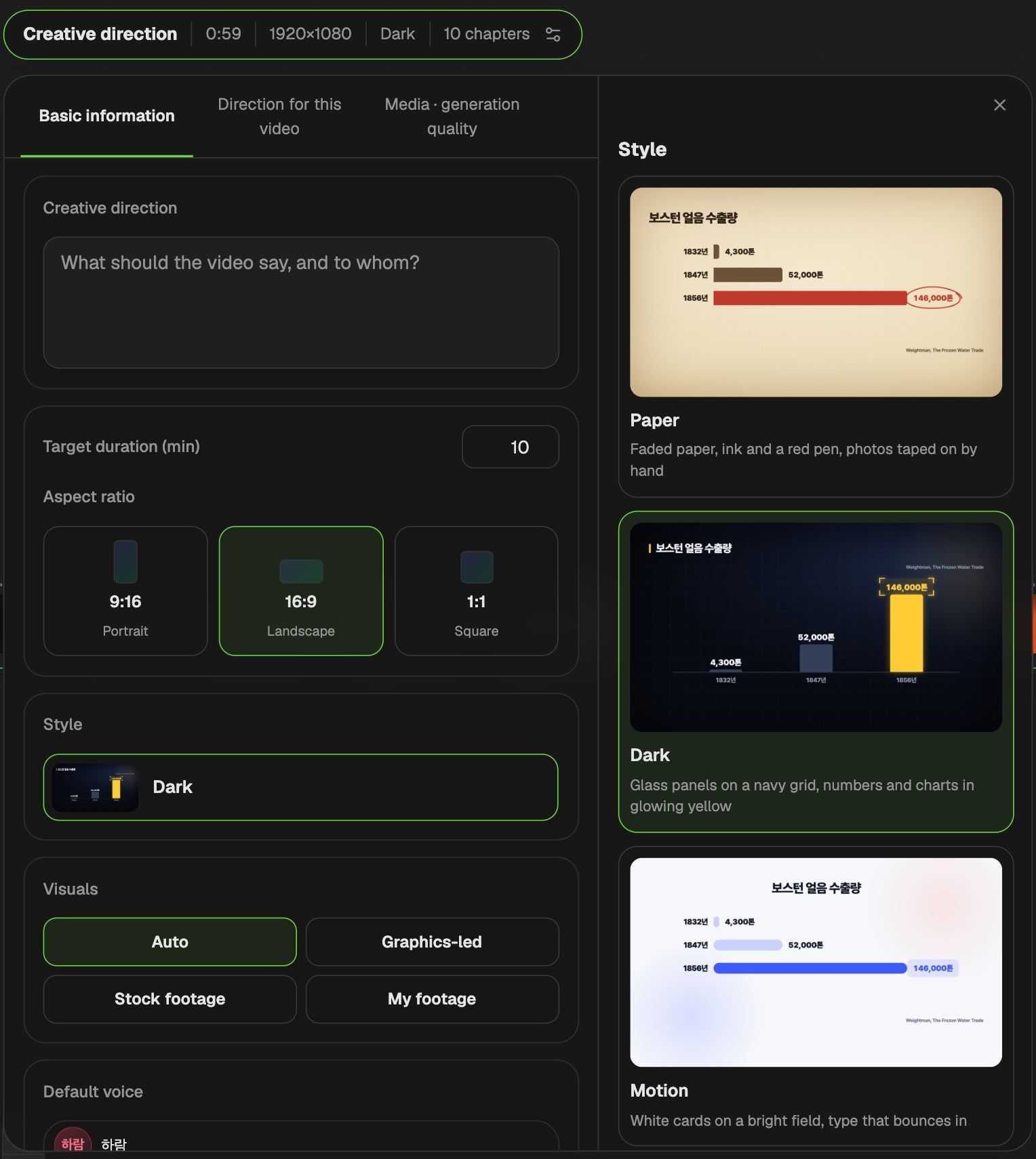
The same text can wrap differently or feel denser from one style to the next, though. For scenes with long labels, check the preview once after switching.
How to turn a repeated scene into a block
One line that changes often in your next video is enough to start.
- 1Pick the value that changesSign-up counts, event dates: things that differ each episode
- 2Find the matching blockNumbers go in the number block, schedules in a timeline, price gaps in a comparison
- 3Fill in data and fromOn-screen text goes in data, the entry point is a narration phrase
- 4Make it, then edit it onceChange the number and you'll see what gets reused
- 5Check the previewEach style wraps and fills the frame differently
Where hand-built scenes still belong
Anything that doesn't fit a fixed shape. For an event teaser, the title, sign-up count and date can be blocks while real footage shows what the venue feels like. For a product video, the price difference goes in a comparison block, and what happens on screen after someone taps the buy button goes to a product recording or a custom scene.
Scenes that must reproduce a specific interaction or brand motion exactly are worth building by hand in HTML, CSS and GSAP. One or two per video is plenty; keep the rest as blocks and edits stay cheap.
To get started in your setup, see Make videos with Claude, Make videos with ChatGPT and the Video generation API.
FAQ
How many tokens do blocks save?
There's no fixed ratio. It depends on the model, the number of tool calls and the work history. Compare a first draft plus one round of edits from the same script to see the difference in your own workflow.
Does placing blocks cost credits?
No. Placing ready-made blocks or switching styles uses no scene-generation credits. Voice synthesis, new transcription, model-generated video and server renders can cost credits, and you see an estimate before any paid work.
Does exporting an MP4 cost anything?
Exporting in the browser from the editor uses no credits. For a server render, check its separate estimate before it runs.
Can I use blocks from Claude or ChatGPT?
Yes. Connect Draft as an MCP connector and you can place and edit blocks from the conversation. The same operations are available through the REST API.
Make it with Draft
Turn the idea you just read into a video plan.
Start from a topic and get the script, scenes, narration, captions and a scheduled post in one flow.