How to Make Videos with Claude: MCP Setup, Prompts, Costs
Claude doesn't render video on its own. Connect a video tool over MCP and it can plan, narrate, caption, render and schedule videos from chat. Here's how.

Ask Claude to turn a blog post into a 60-second vertical video and you'll usually get a scene-by-scene script with shot notes. Useful, but there's still no video file. Recording the voiceover, timing the captions and exporting from an editor are all still on you.
To make videos with Claude from start to finish, connect a video tool. Then that second half happens inside the conversation too.
Claude directs, the video tool produces
Claude is good at scripts, scene plans and deciding what to show in what order. Generating a voice, rendering frames and uploading to social media happen outside Claude, so the connected tool handles those. This guide uses Draft as the example, but the flow is much the same with any video tool that supports MCP.
What is MCP?
MCP (Model Context Protocol) is an open standard for connecting AI apps to external tools and data. The official docs compare it to a USB-C port for AI apps: one standard plug instead of a different cable for every device, so Claude or ChatGPT can call many tools the same way. MCP introduction
In Claude, a tool connected this way is called a connector. Once a video tool is added as one, Claude can call actions like "create a project", "place a scene" or "request a render" mid-conversation.
Connect Draft to Claude
On claude.ai and the desktop app you add a custom connector; in Claude Code it's one command. You only do it once.
claude.ai and Claude Desktop
These are the steps from Anthropic's help center:
- 1Customize > ConnectorsOpen the connectors screen in settings
- 2+ Add > Add custom connectorChoose to add a custom connector
- 3Enter the server URLAny name you'll recognize, URL https://algorixm.com/mcp
- 4Add, then ConnectSign-in is OAuth, so no password or API key goes into Claude
- 5Turn it on in a chat+ button at the lower left > Connectors, switch it on
Free plans can add one custom connector. On Team and Enterprise, an Owner adds it first under Organization settings > Connectors, and members just click Connect. Anthropic: custom connectors using remote MCP
You'll see the name Algorixm on the connect page and the sign-in screen. It's the same account you use for Draft, so go ahead.
Claude Code
Add the remote MCP server from your terminal:
claude mcp add --transport http draft https://algorixm.com/mcp
In a new session, run /mcp, pick the server you just added and sign in in your browser. By default it's only available in the current project. Add --scope user to use it everywhere. There's also a plugin install if you prefer. Claude Code MCP docs, Draft connect guide
Put everything in your first request
Give the topic or link, length, aspect ratio and voice in one message, and ask to see the plan and estimated cost before anything gets made. Here's an example exchange:
Turn this blog post into a 60-second vertical video. (link) Open with "Repeat purchases: 18% → 31%" as a big number in the first 3 seconds. Calm narration, captions on. Show me the scene plan and estimated credits before you start.
create_project · estimate_production
I've split it into 7 scenes. Scene 1 is the 18% → 31% number, scenes 2–6 use store photos and a bar chart, scene 7 points to the link in your bio. Want to check the estimated credits for narration and rendering before I go ahead?
Looks good, go ahead.
place_blocks · start_production
Done. Open the editor link and check it scene by scene.
The thing people most often leave out is length and aspect ratio. Without them Claude has to ask or guess, so if it's for Shorts, write "vertical 9:16" from the start. Add the number to highlight, product names that must appear and the tone to avoid, and you'll need far fewer revisions.
From one request to a finished video
A request runs through roughly seven steps. Before anything that costs money, it stops and asks.
- 1PlanClaude reads the post and proposes 6–8 scenes with a narration script. Reorder or change the emphasis here
- 2EstimatePaid work like voice or AI pictures shows its estimated credits first
- 3ScenesNumbers, charts, maps and big type are drawn in code, so text never garbles. Stock or your uploads for mood, AI pictures only where needed
- 4Narration and captionsAn AI voice reads with natural pauses, and word-timed captions follow it
- 5PreviewYou get a link to the Draft editor. The video stays there as a project
- 6RenderSay "render it" and Draft's servers make the file. Your laptop doesn't have to stay on
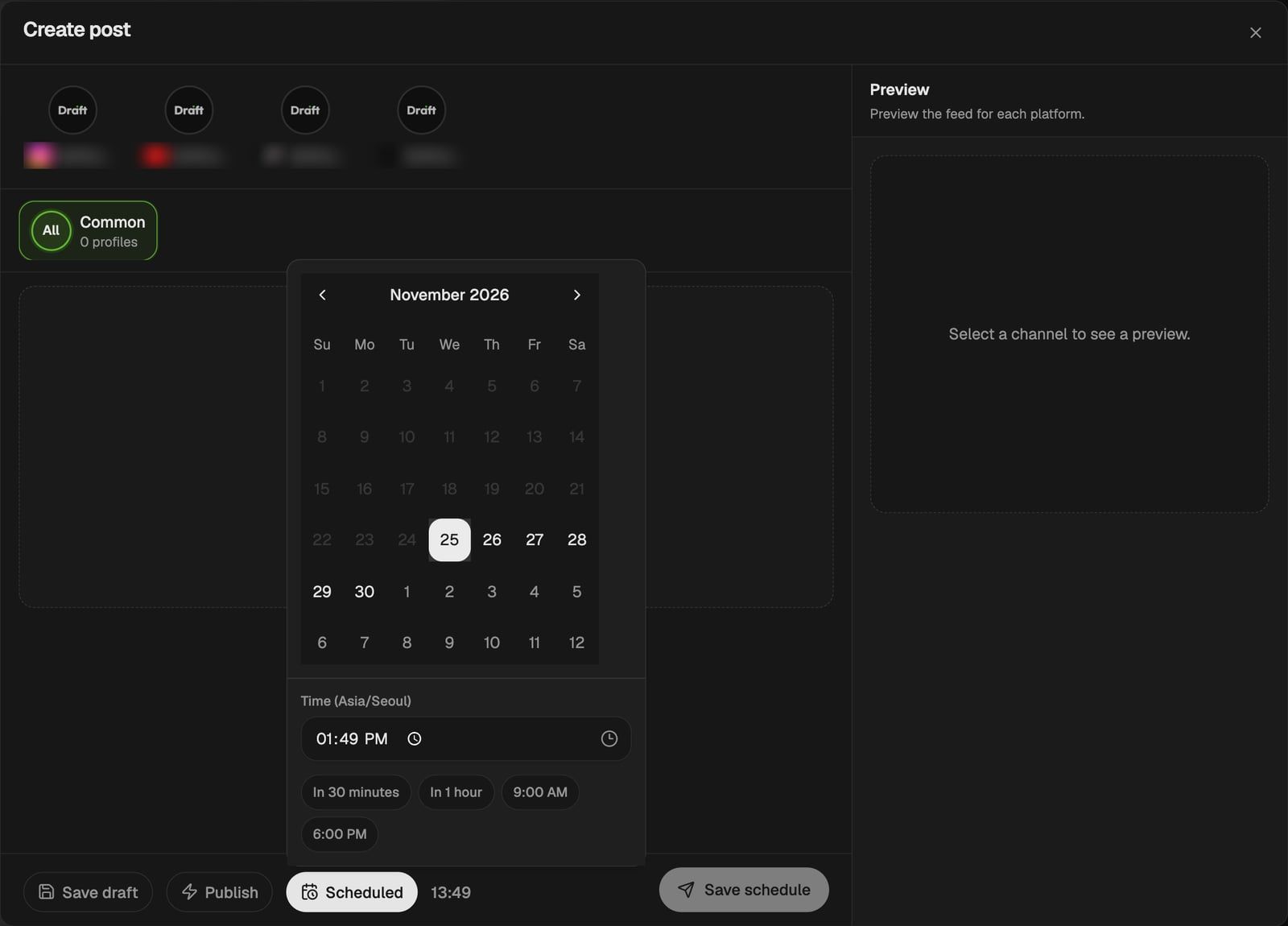
- 7PublishSay "post it to YouTube Shorts and Instagram tomorrow at 9 a.m." and it's scheduled
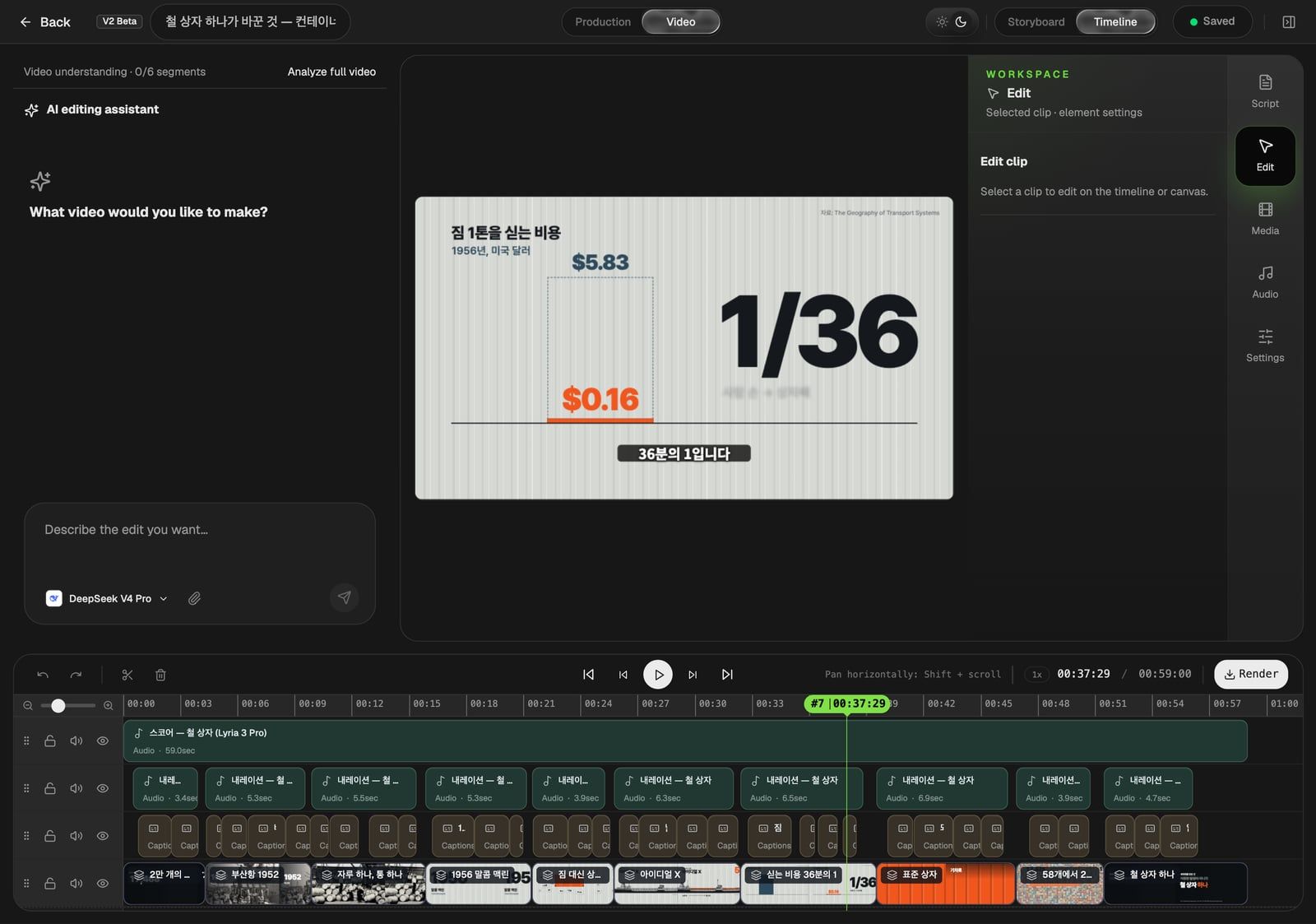
What you get at the preview step isn't a single flat mp4. It's an editable project. Below is a 59-second explainer made through the Draft MCP, opened in the editor.
Publishing works on seven platforms: YouTube, TikTok, Instagram, Facebook, Threads, LinkedIn and Pinterest.
Revise by scene number
Name the scene and say what to change. Only that scene changes; nothing gets rebuilt from scratch.
Make scene 3 two seconds shorter
Swap the pie chart for a bar chart
Replace the photo in scene 5 with a real photo of our store. I'll upload it
Change the last line to "The link is in our bio"
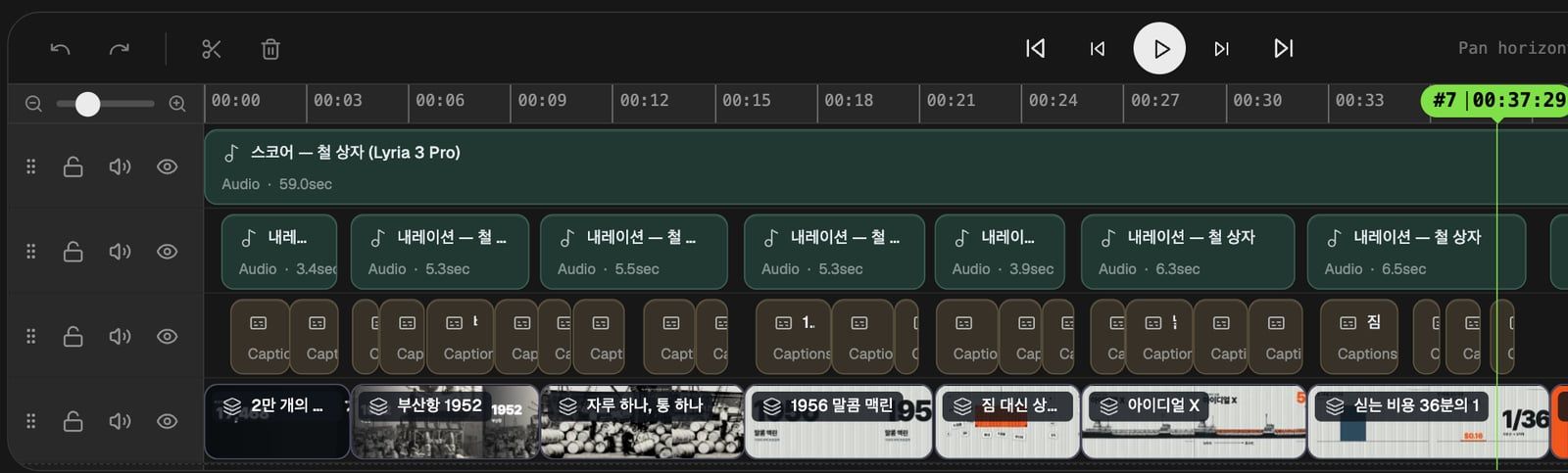
Anything that's easier to fix by hand you can change directly in the editor. A teammate can adjust things there and hand the next round back to Claude, and it all stays in the same project.
What a revision costs depends on what changes. Placing graphic blocks and switching styles is free. Rewriting narration means generating that voice again, and exporting the new version means rendering again.
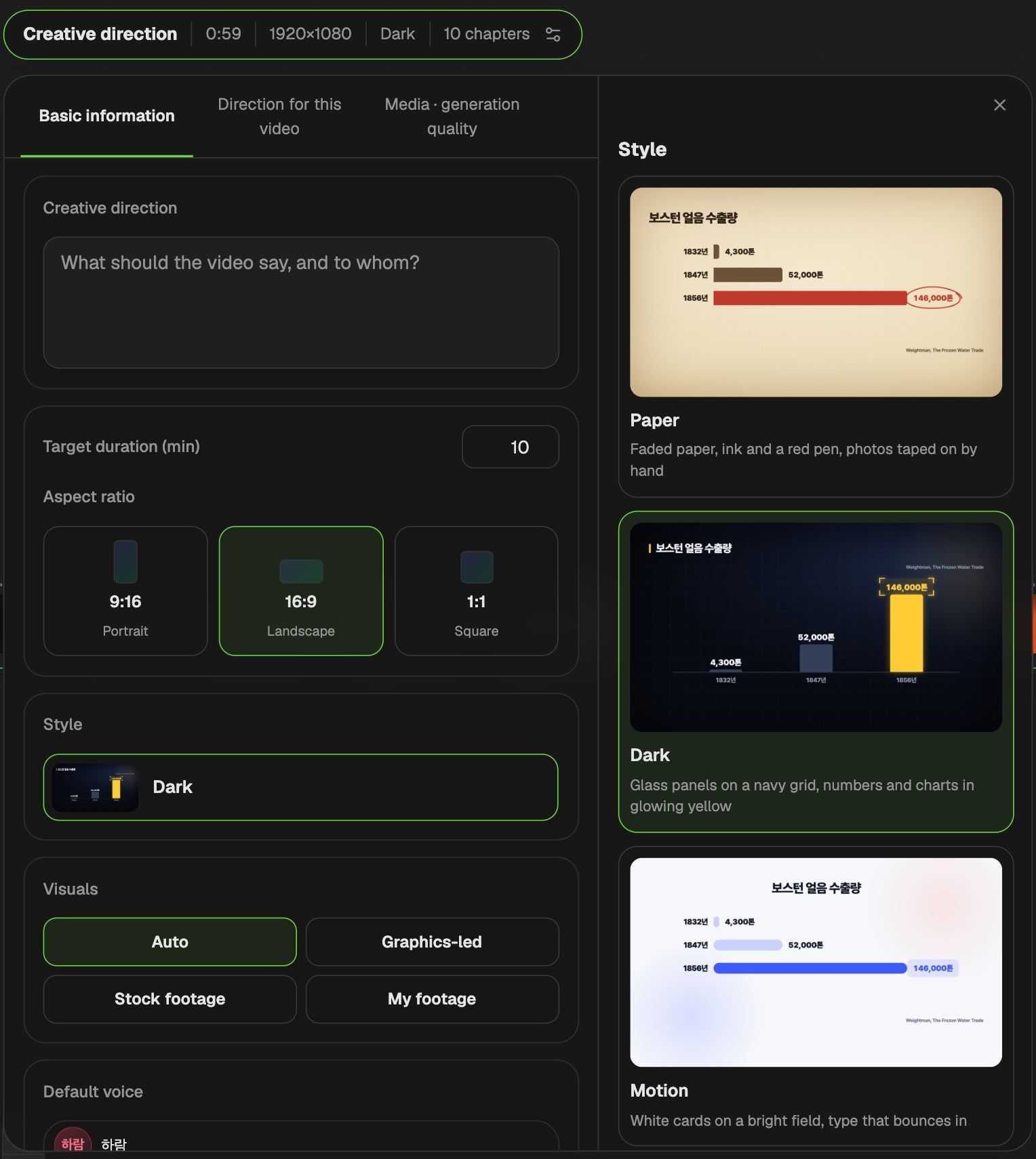
Why turning repeat scenes into blocks saves money and tokens is covered in saving tokens with reusable blocks.
How much does it cost?
Direction and graphic layout run on the Claude plan you already pay for. Draft credits are spent only when Draft's servers actually produce something: voice, AI pictures and renders.
| Work | Where the cost lands |
|---|---|
| Planning, script, scene layout, revision requests | Your Claude plan |
| Placing graphic blocks, switching styles | Free |
| AI voice, AI images and video, rendering | Draft credits |
Draft starts free with no subscription, and credits are used per task. You see an estimate before any paid work, so you decide with the number in front of you. A video built mostly from graphic blocks only pays for narration and pictures, so it uses few credits. Prices are on the pricing page.
On the Claude side, longer conversations use more of your plan. Heavy work runs on Draft's servers and only short results come back to Claude, so the chat doesn't bloat with file transfers.
What it can't do, and what to check before posting
Draft doesn't do on-camera avatars or lip-sync. If you need a presenter on screen, an avatar tool is a better fit.
What Draft can do
- Script, AI narration, word-timed captions
- Charts, numbers, maps and big type drawn in code
- Stock, your files, AI pictures only where needed
- Server-side rendering and scheduling to 7 platforms
What it can't
- Talking videos with a human-face avatar
- Lip-sync to match mouth movement
- A mobile app (the editor runs on the web)
Before anything goes live, check two things:
- Facts and numbers: When summarizing, Claude can round a figure or mix up a date. Compare the numbers on screen with your source once.
- Names and pronunciation: Check the spelling of product, brand and people's names, and how the AI voice reads them. Acronyms and units are worth a quick listen.
Don't post your first few videos right away. Schedule them. A scheduled post can have its time and content changed in the calendar until it goes live, which gives you one more look.
FAQ
Does it work on the free Claude plan?
Yes. According to Anthropic, Free plans can add one custom connector. Usage limits differ by plan, though, so if you revise long videos often, a paid plan is more comfortable.
Do I need to know how to code?
No. Ask in the chat and review in the editor. Developers can also have Claude Code work on scene code directly, or use the same features through the REST API.
Can I do the same thing in ChatGPT or Codex?
Yes. The Draft MCP server connects to ChatGPT and Codex too, with the same videos and the same pricing. Only the setup differs, covered in making videos with ChatGPT.
Can I make the same kind of video every day?
Yes. Set up an automation that takes a topic, makes the video and posts it at a set time, and it repeats daily. What Claude-made videos suit best, and how this compares with other approaches, is in make videos with Claude.
Make it with Draft
Turn the idea you just read into a video plan.
Start from a topic and get the script, scenes, narration, captions and a scheduled post in one flow.