Hundreds of site photos, not one video posted
Ten to fifteen photos from each phase make one renovation video. Square footage, timeline and materials go in as graphics.
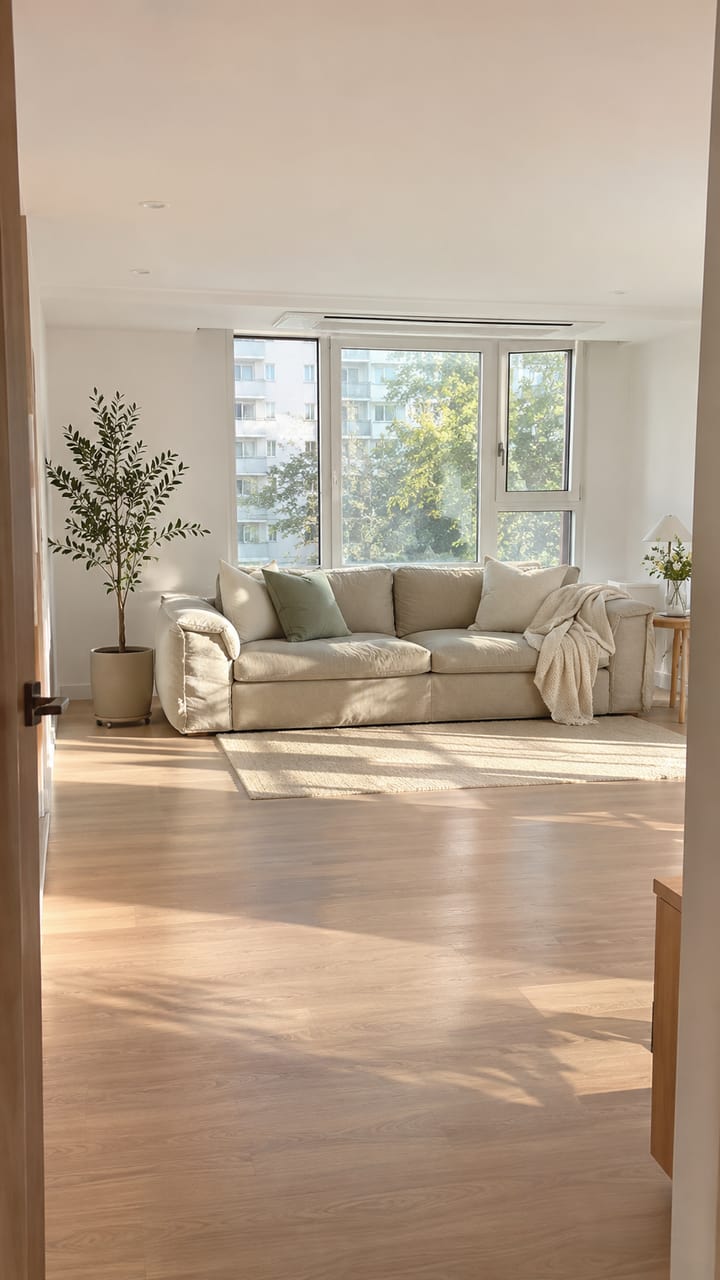
A 25-year-old condo, 6 weeks later
25 years old. Look at it now
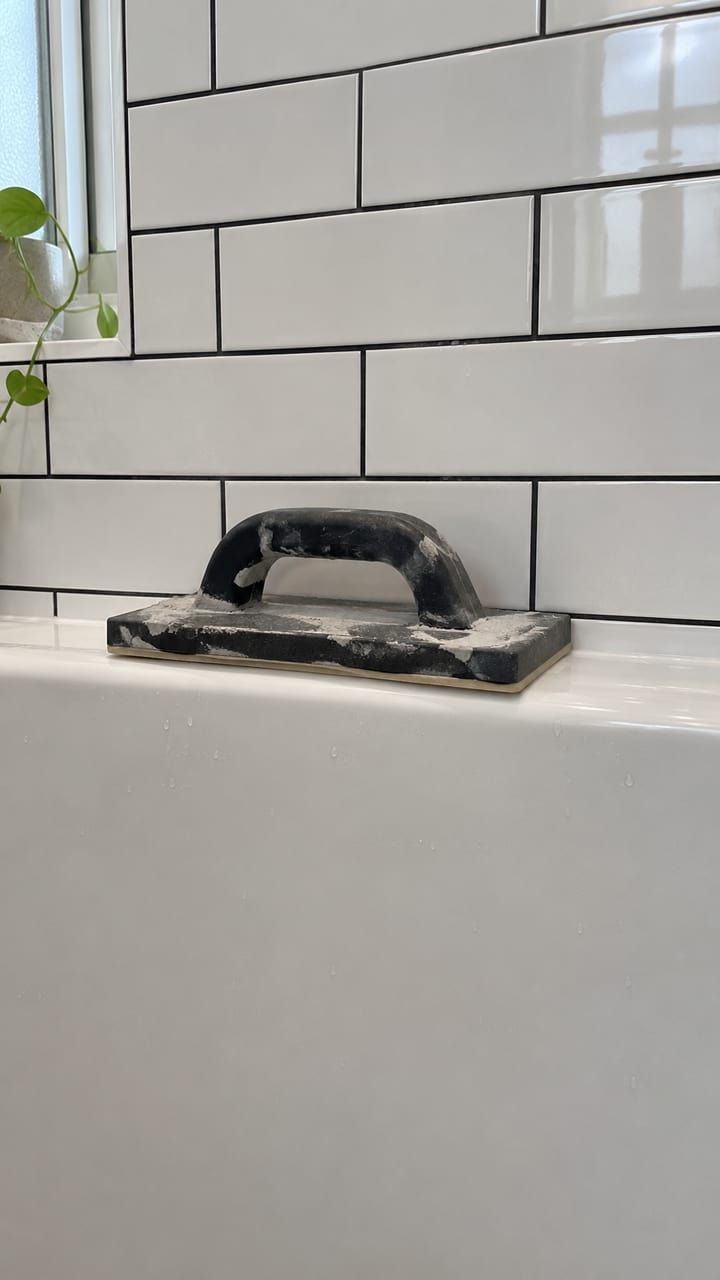
Same tile, we only changed the grout
The tile didn't change
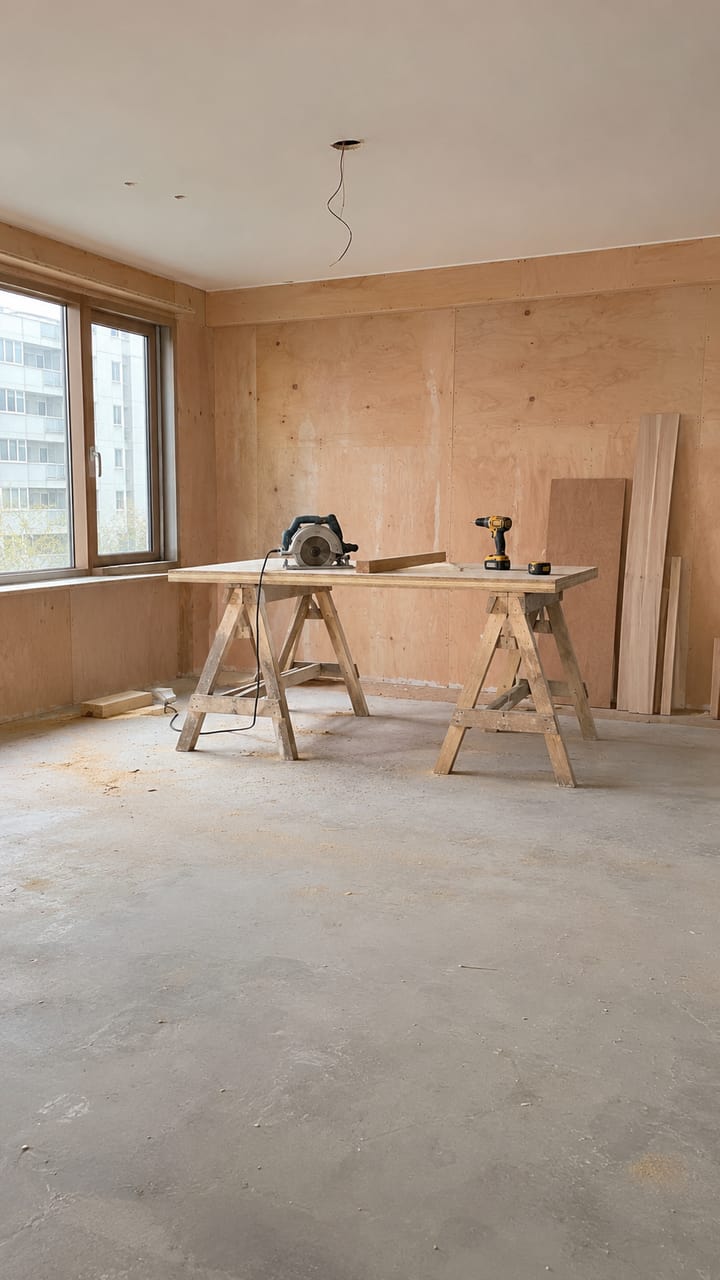
Site diary day 7: framing done
Last day of carpentry
Where it usually gets stuck
The problem 1
Hundreds of site photos, never sorted
How it gets solved
Pick 10–15 in phase order and upload. Draft links demo to move-in and adds square footage, timeline and materials as graphics.
The problem 2
Scrolling your phone for past jobs on sales calls
How it gets solved
Make a one-minute video per job and share one link on the call. Once they pile up on YouTube and Instagram, that's your portfolio.
The problem 3
Afraid of exposing the client's home
How it gets solved
Cut scenes showing addresses, family photos or door codes, and show the client before posting. Swap or remove any photo per scene.
The problem 4
Nothing to post mid-job, you think
How it gets solved
Post a 15-second site diary when a phase wraps, like "framing done, paint tomorrow". At the end, combine them into one horizontal video.
Here's how the first video plays
Scene by scene, the 45-second "25-year-old condo" Short. The numbers are examples.
A 25-year-old condo, 6 weeks later
25 years old. Look at it now
- 0–3s25 years old. Look at it now
Split screen: the living room before and after, shot from the same spot
“A 25-year-old, 1,100 sq ft condo, six weeks later.”
- 3–9sWeek 1 · 3 days of demo
Demo day photo: flooring and trim torn out, bare walls
“Week one is demo. Flooring, trim and built-ins all came out.”
- 9–17sWeek 2 · plumbing, electrical
Plumbing and wiring photos with the phase labeled
“Old pipes and wiring get replaced while the walls are open.”
- 17–25sWeeks 3–4 · carpentry
Carpentry photo, close-up of the clean ceiling line with the crown removed
“We took out the crown molding and framed a slot for cove lighting.”
- 25–33sSolid oak · matte paint
Close-up of oak flooring and matte paint, material names on screen
“Solid oak floors, matte paint on the walls.”
- 33–40s1,100 sq ft · 6 weeks
Six-week timeline graphic: demo → plumbing → carpentry → paint → move-in
“The whole condo took six weeks.”
- 40–45sMore jobs like this: link in bio
Slow pan across the finished living room, then a link-in-bio card
“Thinking about yours? DM us your square footage and a few photos.”
16 things to post this month
Site diary
- 1Demo day: what we found behind the walls
- 2Why we let waterproofing cure two days
- 3Framing done, paint starts tomorrow
- 4Final walkthrough before the clean
Before and after
- 520-year-old kitchen, new countertops only
- 6Same angle: the basement before and after
- 7Crown molding gone: the ceiling now
- 8The entryway before and after
Materials and cost
- 9Engineered vs solid hardwood, explained
- 10Large vs small bathroom tile, side by side
- 11How long a 1,100 sq ft remodel takes
- 125 lines every remodel quote should have
Questions we get
- 13Can we live here during the remodel?
- 14When should we replace the windows?
- 15Can you do just the kitchen?
- 16What to tell your HOA before we start
Before you post
Make sure the home can't be identified and the numbers are right.
- Street numbers, unit numbers and door keypads are cut out
- No mail, package labels or family photos showing names
- The window view or building exterior can't give the address away
- The client has seen the finished video and agreed to posting
- Size, timeline and materials match the actual contract
- If you show a price, the scope and quote date are stated too
- No photos from another firm's work or another site slipped in
Three ways to get a renovation video
| Hire a video crew | Edit it yourself | Draft | |
|---|---|---|---|
| First video | Scheduling, shoot and edit: often weeks | Half a day to a day, sorting included | Upload 10–15 photos, about 30 min |
| Every job, steadily | Hard to justify for every job | Slips in busy months | Same format repeated per job |
| Mid-job updates | Tied to shoot days | Film and edit each time | 15-second diary as each phase wraps |
| Size, timeline, materials | Graphics on request | You type the captions | Write one line, get graphics |
| What you need | Site access, quote and scheduling | An editing app and your evenings | Phone photos from the site |
| Best for | A cinematic film of a flagship job | Talking-to-camera vlogs | Site diaries and before/after Shorts |
Some firms hire a crew for one or two flagship jobs and use Draft to keep every other job posted.
How it works
- 1
Pick phase photos (15 min)
Choose 10–15 site photos across phases and write one line like "1,100 sq ft, 6 weeks, oak floors".
- 2
Check scenes and wording (10 min)
Review each scene's photo, voiceover and captions, and remove or swap anything that identifies the home.
- 3
Client OK, then schedule
Show the client first, then schedule vertical cuts to Instagram, YouTube Shorts and TikTok and the full video to YouTube.
Which one should you pick?
When another approach is better
- For a cinematic brand film, hire a video crew
- Pre-construction 3D renderings belong in a 3D design tool
- Visibility inside a home-services platform needs that platform's ads
- If your crew barely takes site photos, build that habit first
When Draft fits
- Site photos pile up daily and nobody turns them into video
- You want to persuade with numbers: size, timeline, budget
- You run several jobs at once and still want to post steadily
- You run Shorts and horizontal YouTube videos together
FAQ
Do the site photos need to be high quality?
Phone photos are fine. Shoot before and after from the same spot and angle and the comparison scenes come out much better.
What about the client's privacy?
Leave out anything that identifies the home: street numbers, family photos, door codes, mail. Show the client the video and get their OK before posting. You can swap or remove any photo scene by scene in the editor.
Can I post while the job is still going?
Yes. Post a 15-second Short as each phase wraps, then combine the whole job into a horizontal video at the end. Schedule them so they go out at set times.
Which channels work best?
Vertical cuts fit Instagram Reels, YouTube Shorts and TikTok; finished-job videos fit YouTube and Pinterest. Draft posts or schedules to all of them.
How much does it cost?
You start free, and no subscription is required. Each task uses credits, and you see an estimate before anything is made. Videos built mostly from your site photos cost less.
Can I talk to someone before starting?
Yes. Contact the Draft team and we'll help you choose a format for your job-site videos, how often to post, and whether sorting site photos can be automated.
I only have finished photos, no in-progress shots.
Finished photos still make a video. Draft lays them out room by room with size, timeline and materials as graphics. From the next job, take one photo from the same spot at each phase and you'll have a before-and-after.
Should I show the price in the video?
That's your call. If you do, add the scope and when it was quoted, like "1,100 sq ft, appliances not included, quoted this fall", so viewers don't misread it. You can also show only the scope and timeline.
More on the blog
AI Video Tools: Why You Don't Need Five Stitched Together
A feature is renamed after your product Short is approved, and five tools need reopening. See how edits shrink when AI video tools live in one place.
AI Video Tools Compared (2026): How to Pick the Right One
12 AI video tools, including HeyGen, OpusClip, CapCut, Vrew, Canva and Remotion, sorted by the video you're making, plus a two-tool trial to run first.
Weighing something else too?
What people with the same question read next.
 Shopify & Etsy sellers
New products every week: when do you make all the videos?
A product page link or a few photos become a scheduled product Short.
Read Café & restaurant owners
Running the shop and posting Reels every week: is that possible?
A few menu photos become café and restaurant Reels, posted at the time you pick.
Read Tutoring center owners
Teaching all day: can you still post lesson Shorts every week?
A slice of a lesson becomes a Short for your tutoring center, scheduled for enrollment season.
ReadWe can also build this for you
Connections and automations Draft doesn't offer out of the box can be built for you after a consultation.
Job folder in, site diary out
We can make photos added to each job's shared folder turn into a site-diary Short draft with the phase and date on it.
Similar jobs for each quote request
We can make quote requests with size and style get a matching past-job video attached to the reply.
Move-in reviews with the final video
We can make each move-in review get paired with the finished photos as a scheduled review video.
Make your first video now
Start free with no subscription and top up credits only when you need them.
Start free