Product videos for every new arrival, without a photo shoot
The photos and copy already on your product page are enough for a product Short. Your product stays exactly as photographed; prices and sizes are drawn as sharp graphics.
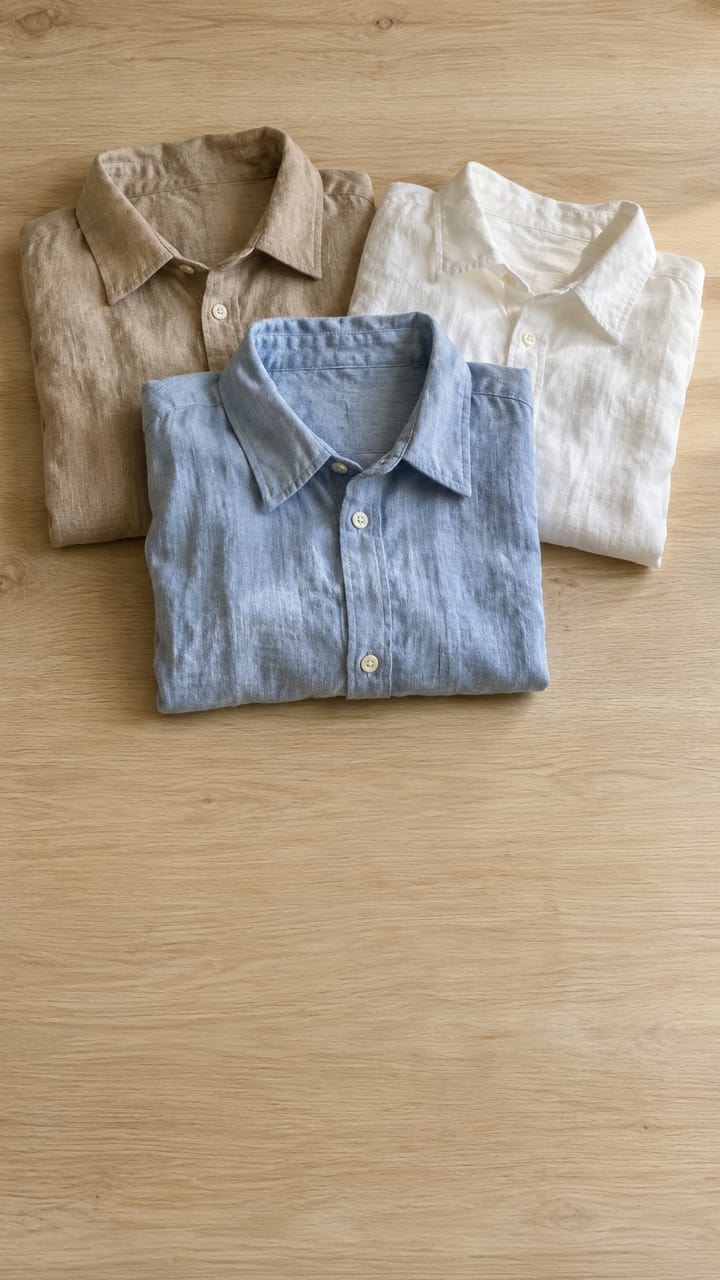
Linen shirts: check these 3 things first
Pricier doesn't mean cooler
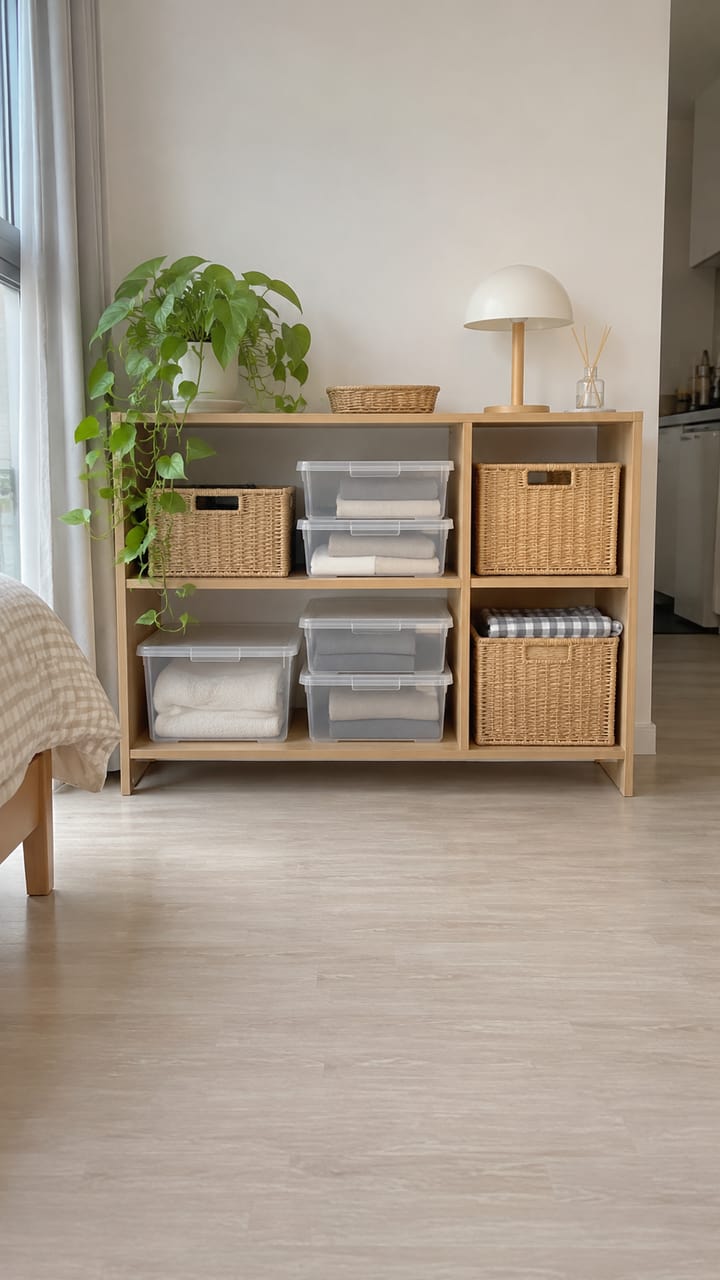
3 studio storage finds under $30
These three doubled my closet
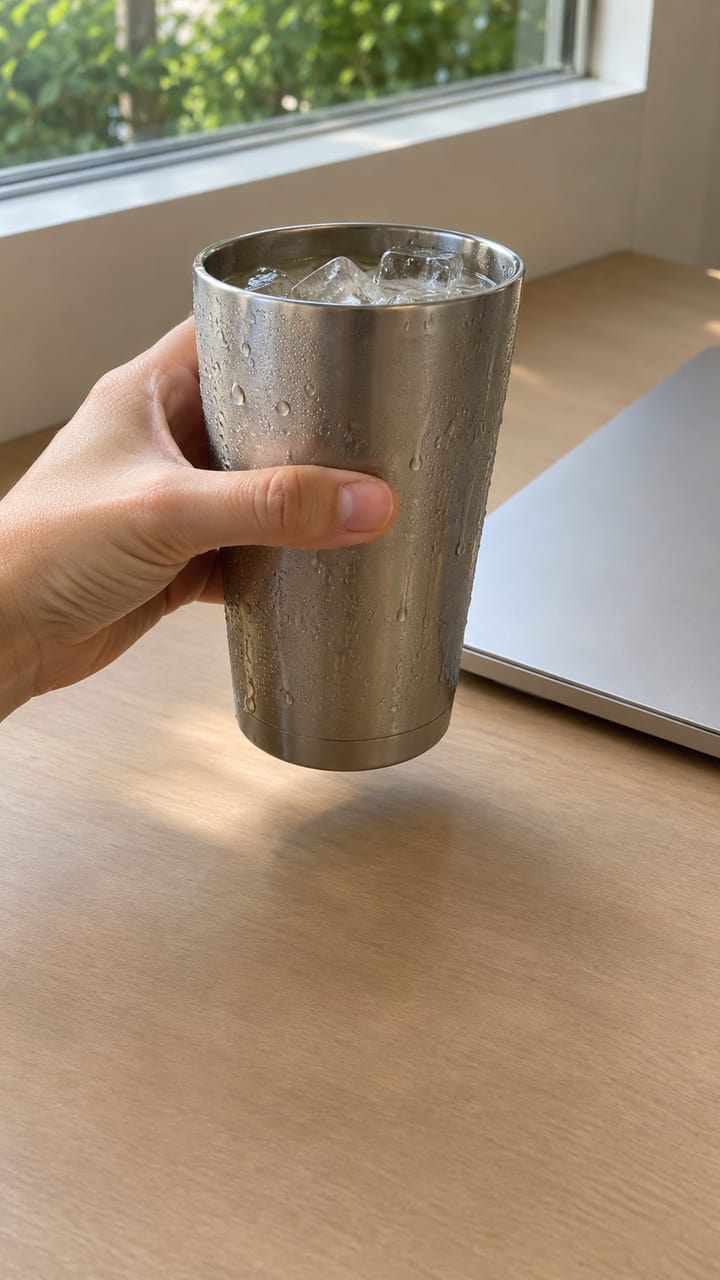
7 days with our new tumbler, honestly
Ice all day. The catch is weight
Where it usually gets stuck
The problem 1
Too many products to shoot and edit one by one
How it gets solved
A product page link or the photos you already have is enough. Each product gets its own vertical video with script, captions and music.
The problem 2
You end up listing specs and nobody bites
How it gets solved
Start where buyers hesitate. Pick a format that gets responses: "check these 3 things", a top 3, or an honest review.
The problem 3
Worried AI will redraw your product and cause returns
How it gets solved
Your product photos and clips go in untouched. AI material is only for backgrounds and lifestyle scenes.
The problem 4
Prices change, and last week's video is wrong
How it gets solved
Change the number in the price scene and export again. No need to start over.
Your first video, scene by scene
The 30-second "Linen shirts: check these 3 things first" video. Numbers are examples.
Linen shirts: check these 3 things first
Pricier doesn't mean cooler
- 0–3sPricier doesn't mean cooler
Flat lay of beige, white and light blue shirts with a big caption over it
“Linen shirts: pricier doesn't always mean cooler.”
- 3–9s1. Linen content
Close-up of the inside care label, with a "100% linen" number card beside it
“First, check the label. Is it 100% linen, or a blend?”
- 9–15s2. Fabric weight
Fabric held up to window light; thin, medium, heavy comparison graphic
“Second, weight. Thinner is cooler, but too thin is see-through.”
- 15–21s3. A relaxed fit
Size chart graphic: shoulder, chest, length (example measurements)
“Third, fit. It should hang loose so air can move.”
- 21–26sThis one ticks all three
The three colors flip by one after another, then a $48 price card
“This shirt is 100% linen, lightweight, with a relaxed fit.”
- 26–30sColors and sizes: link in bio
Hero color product photo with the store name and a link card
“See every color and size at the link in our bio.”
16 things to post this month
New in & restocks
- 1This week's 3 new arrivals at a glance
- 2It sold out. It's back
- 3One product, true colors side by side
- 4Sizes S, M, L measured side by side
How to choose
- 5Choosing a tumbler: look past the size
- 6Measure these 2 spots before buying storage
- 7Top 3 gifts under $40
- 8The 3 questions customers ask us most
Reviews & comparisons
- 9Our lowest-rated review, answered honestly
- 10One month in: what changed
- 11Two similar products, the real difference
- 12Customer photos from this month
Sales & notices
- 13Weekend sale starts tomorrow
- 14Our free shipping threshold changed
- 15Holiday shipping cutoff dates
- 16How much you save with a bundle
Check before you post
A wrong price or option comes back as questions and returns.
- Sale price, regular price and sale dates match the product page
- Option, color and size names match the listing exactly
- The product's color on screen looks like the real thing
- Shipping cost, free-shipping threshold and delivery times are current
- Claims like "lowest price" or "#1" have something to back them up
- Quoted reviews are word for word from real customers
- AI-generated images are only used for backgrounds and lifestyle scenes
- Videos for ended sales are taken down or the price scene is fixed
Three ways to get a product video
| Hire a studio | Shoot and edit yourself | Draft | |
|---|---|---|---|
| First video | Quote and shoot date first; usually days to weeks | Half a day to a day of shooting and editing | About 30 minutes from your photos |
| When a price changes | Ask for a revision and wait | Open the project and fix the caption | Change the number in the price scene and export again |
| With 100 products | Cost and schedule grow with every product | Shoot and edit every product again | Same format, swap in the next product |
| Best for | Brand launches and lookbooks where polish matters most | Fit, texture or anything that needs real motion | Products sold on specs, price and comparison |
| What you need | A budget and time to brief | Gear and editing skills | 3–5 product photos or a product page link |
Costs vary by studio and product, so none are listed. Draft shows its credit estimate before it starts.
How it works
- 1
Add the product (5 min)
Paste a product page link or upload 3–5 photos, plus a line on what to highlight.
- 2
Pick a format
New arrival, top 3 or honest review. Draft adds the script, captions and music.
- 3
Check prices and options (5 min)
Confirm the sale price, options and shipping lines, and fix only the scenes that are off.
- 4
Schedule
Schedule Reels, Shorts and TikTok for the same time.
Which one should you pick?
When another approach is better
- Fit, texture or how makeup goes on needs to be seen: film it (you can upload the clip and add captions and music in Draft)
- A brand launch where one polished film matters: hire a production team
- You want ads bought and targeted for you: use an ad agency (Draft doesn't run ads)
Sellers Draft fits
- Large catalogs that need a video per product
- Products sold on specs, price and comparisons
- One- to three-person shops with no time to shoot
- Stores posting the same video to Reels, Shorts and TikTok
FAQ
Can I just paste a product link?
Yes. Draft plans the script and scenes from the page's content. Some store pages don't expose their images well, so uploading the product photos too is the safe bet. Draft doesn't connect to your store; the link is only source material.
Will AI change how my product looks?
No. Your product photos and clips are placed as they are. Keep AI-generated material to backgrounds and lifestyle scenes, not the product itself.
If a price changes, do I remake the video?
No. Change the number in the scene that shows it in the editor. There's no need to start over.
Where can I post?
Instagram Reels, YouTube Shorts, TikTok, Facebook, Threads, Pinterest and LinkedIn, now or scheduled. You can schedule one video to several channels at the same time.
What does it cost?
You start free, with no subscription; each task uses credits. Draft shows an estimate before it starts. Videos built from product photos and graphics cost little; heavy AI video generation costs more.
Can you build an automation for my store?
Yes. A flow that takes your product list and makes and schedules videos on a set rhythm can be built for you. If you're unsure where to start, contact our team.
How long should a product video be?
For Reels and Shorts, 15–45 seconds works well. Show the product and its one key point in the first 3 seconds, and say one thing per scene. Tell Draft the length you want and it plans the scenes to fit.
Can I make clothing videos without a model?
Yes. Flat lays, hanger shots, fabric close-ups and a size chart graphic are enough. For clothes where fit is the whole point, mixing in one or two short clips of someone wearing it lands better.
More on the blog
AI Video Tools: Why You Don't Need Five Stitched Together
A feature is renamed after your product Short is approved, and five tools need reopening. See how edits shrink when AI video tools live in one place.
AI Video Tools Compared (2026): How to Pick the Right One
12 AI video tools, including HeyGen, OpusClip, CapCut, Vrew, Canva and Remotion, sorted by the video you're making, plus a two-tool trial to run first.
Weighing something else too?
What people with the same question read next.
 Café & restaurant owners
Running the shop and posting Reels every week: is that possible?
A few menu photos become café and restaurant Reels, posted at the time you pick.
Read Tutoring center owners
Teaching all day: can you still post lesson Shorts every week?
A slice of a lesson becomes a Short for your tutoring center, scheduled for enrollment season.
Read Clinic owners & practice managers
Clinic Shorts: what can you post, and what needs checking first?
Patients' everyday questions become health info Shorts, scheduled once they're cleared.
ReadWe can build these for you too
Connections and automations Draft doesn't offer out of the box can be built for you after a consultation.
New product listed, intro Short made
When a new item appears in your product list, a video can be made from its photos and description and scheduled automatically.
Best reviews turned into a weekly video
Top-rated customer reviews can be picked out and bundled into one review Short a week.
Flash sale videos on your sale calendar
A video with the sale price can be scheduled for the evening before each sale starts, following your promotion calendar.
Make your first video now
Start free with no subscription and top up credits only when you need them.
Start free