Wedding videos that answer couples before they ask
Couples save dozens of venues before they book a single tour. Show the guest flow, the catering and the fees you get asked about on every call, before the call.
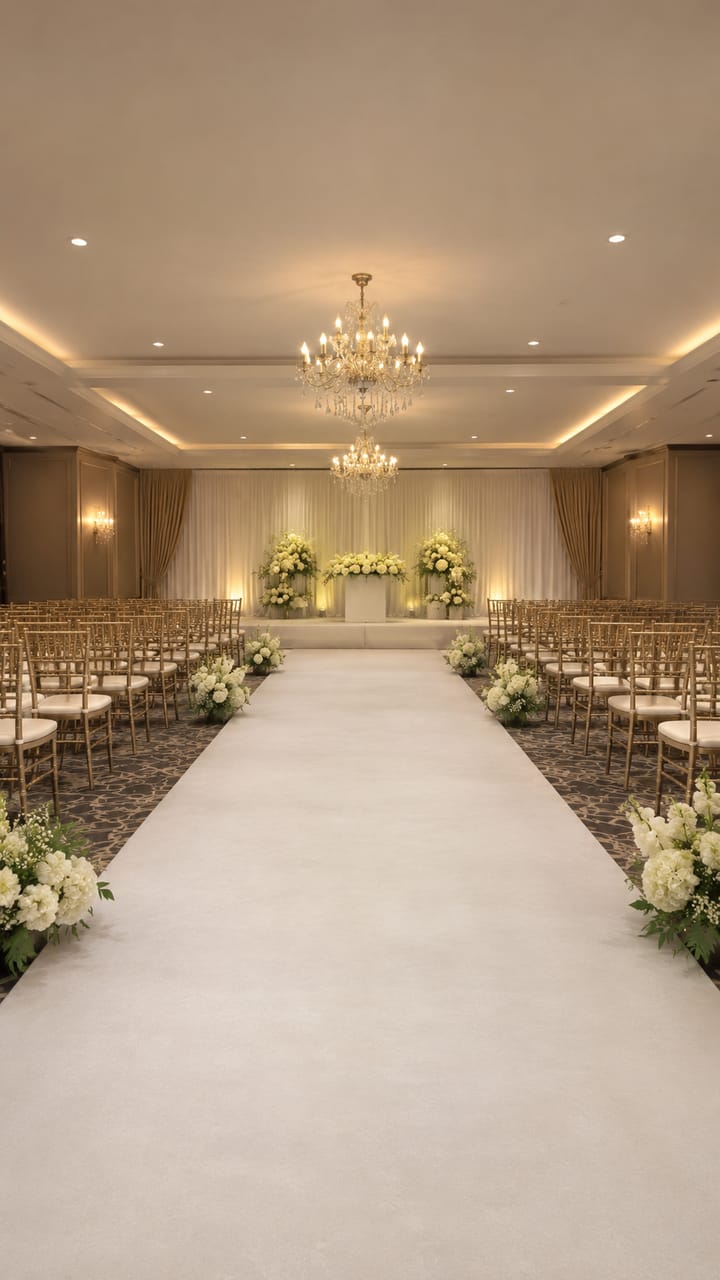
200-guest venue: guest flow in 60s
Watch this before your tour

Wedding fees to ask about before signing
4 costs that weren't on the quote
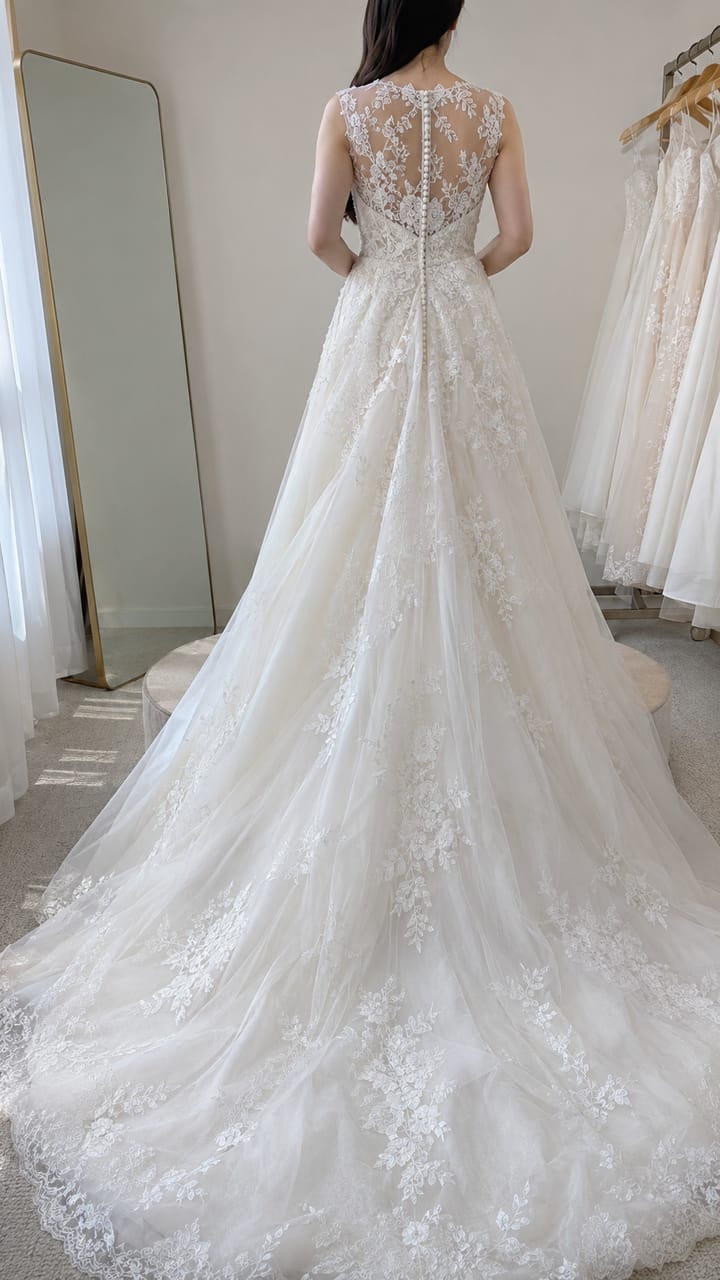
Mermaid or A-line? Pick by venue
Look at the venue, not the mirror
A wedding year: what to post when
Most couples pick a venue about a year out. Post a season ahead of the date they're booking.
- December–FebruaryEngagement seasonJust engaged? Our open dates for next fall
- JanuaryBridal showsBridal show weekend: book your tour here
- MarchSpring dates leftLast open Saturdays in May and June
- April–JuneSpring weddingsLast Saturday's ceremony, from the aisle
- July–AugustNext year's bookingsNext October: Saturdays still open
- September–OctoberPeak seasonGolden hour ceremony on our terrace
- NovemberOff-peak offersWinter and Friday weddings: what's included
- Every MondayWeekend recapSaturday's 4 PM wedding, grand entrance
Where it usually gets stuck
The problem 1
Lots of inquiries, very few tours booked
How it gets solved
Show parking, the bridal suite, catering and capacity as photos and number cards. The video covers the basics; calls go to dates and quotes.
The problem 2
Every call starts with "any hidden fees?"
How it gets solved
Make a video that lays out service charge, cake cutting, corkage and overtime as included / not included cards, exactly as you enter them.
The problem 3
Tons of wedding photos, and they all look alike
How it gets solved
Add what sets you apart, like "60 ft aisle" or "one wedding a day", as numbers and captions. Couples finally have something to compare.
The problem 4
Winter inquiries dry up
How it gets solved
Make off-peak offers and Friday or Sunday rates early and schedule them months ahead. When the slow season comes, it's handled.
Your first video, scene by scene
The 50-second "200-guest venue: guest flow in 60s" video. All numbers are examples.
200-guest venue: guest flow in 60s
Watch this before your tour
- 0–3sWatch this before your tour
Wide shot of the aisle from the back of the ceremony room
“Before you tour, here's how your guests move through the day, in one minute.”
- 3–10s300 spaces · free parking
Entrance and parking lot photo with a parking count card
“Three hundred parking spaces, free for every guest.”
- 10–18sBridal suite next to the aisle
Getting-ready suite photo, graphic showing its distance to the aisle
“The bridal suite opens right onto the ceremony room, so nobody gets lost.”
- 18–27s60 ft aisle · 25 ft ceilings
Aisle photo with length and ceiling height graphics
“A sixty-foot aisle and twenty-five-foot ceilings make for a long entrance shot.”
- 27–36sPrivate reception · 200 seats
Reception room photo with seating and catering cards
“The reception room is yours alone, so you never share space with another party.”
- 36–44sOne wedding a day
Day schedule graphic: one wedding per day
“We host one wedding a day, so nobody rushes you out.”
- 44–50sBook a tour, link in bio
Venue name, how to book a tour, map card
“Check if your date is open at the link in our bio, and book a tour.”
Before you post
Photos and prices are what couples study most closely.
- The couple in the photos agreed to social media use
- Close-ups of guests' faces are cut or swapped for wide shots
- Prices say "from" where needed, with what's included and not
- Fees match what's actually in your contract
- Offers state their dates and conditions (month, guest count)
- Partner vendors' photos are used with permission
- No booked dates still shown as available
How it works
- 1
Add photos and details (10 min)
A few photos of the ceremony room, reception and suites, plus capacity, catering style and parking.
- 2
Check numbers and consent (10 min)
Make sure prices, fees and open dates are current and the couples pictured agreed to be posted.
- 3
Schedule for the season
Bridal shows, off-peak offers, the Monday after a weekend wedding: pick dates and schedule ahead.
Which one should you pick?
When another approach is better
- The emotion of the wedding day itself: a professional videographer
- A walk-through tour of the venue: film it yourself (upload it and add captions and graphics in Draft)
- Paid ads and targeting: an ad agency
Who Draft fits
- Venues and planners answering the same questions on every call
- Off-peak offers that need to go out early
- Wedding photos piling up, never turned into video
- Packages that change often
FAQ
Can I use wedding photos in promo videos?
Get the couple's consent for social media first. A line for it in your contract or photo release saves asking every time. Leave out close-ups of guests.
Should I show prices and fees?
Yes, couples like seeing terms before they call. Say whether a price is "from", what's included and what isn't, and make sure it matches your actual contract.
Can a video come from venue photos alone?
Yes. 8–10 photos of the ceremony room, suites, reception and parking make a one-minute video. Numbers like seats or parking spaces are drawn as graphics, so text stays crisp.
Does it work for bridal shops and planners?
Yes. Bridal shops can compare silhouettes, makeup artists can show the wedding-morning timeline and planners can compare vendor packages. Each gets its own kind of video.
What does it cost?
You start free, with no subscription; each task uses credits. Draft shows an estimate before it starts. Venue videos built from photos and number cards cost little.
When should off-peak offers go out?
Two or three months before the dates they apply to, since couples book well ahead. If the offer has a deadline, schedule a reminder a week before it ends.
Can this replace a wedding videographer?
No. The day itself needs a professional videographer. Draft is for promo videos that change often: venue tours, offers and open dates.
Can open dates post automatically every week?
A flow that reads your booking calendar and schedules an open-dates video can be built as a custom automation. Contact our team to talk through what fits your venue.
More on the blog
Instagram Reels Length, Size and Aspect Ratio (2026)
Max Reels length, recommended aspect ratio and resolution, cover size, caption safe zones and Reels ad specs, checked against Instagram and Meta docs.
Social Media Video for Small Businesses: Where to Start
A starter guide for small business owners: a 4-week plan, what to film on your phone, first 3 videos for 20 business types, weekly time and mistakes.
Weighing something else too?
What people with the same question read next.
 Shopify & Etsy sellers
New products every week: when do you make all the videos?
A product page link or a few photos become a scheduled product Short.
Read Café & restaurant owners
Running the shop and posting Reels every week: is that possible?
A few menu photos become café and restaurant Reels, posted at the time you pick.
Read Tutoring center owners
Teaching all day: can you still post lesson Shorts every week?
A slice of a lesson becomes a Short for your tutoring center, scheduled for enrollment season.
ReadWe can build these for you too
Connections and automations Draft doesn't offer out of the box can be built for you after a consultation.
An open-dates video every week
Your booking calendar's free dates can be turned into a weekly "Saturdays still open" video, scheduled automatically.
Wedding photos in, recap video out
Drop photos from a wedding whose couple agreed to be posted into a folder, and a recap video can be made from them.
A quote summary video for each couple
Enter the date, guest count and package from a consultation and a quote recap video for that couple can be made.
Make your first video now
Start free with no subscription and top up credits only when you need them.
Start free